A qualified prospect accepts your discovery-call invitation, the calendar shows the booking, and you spend time preparing. When the meeting time arrives, nobody joins. You notice the empty slot only after it has already consumed the part of the day you reserved for revenue-generating work. The prospect may have forgotten, misunderstood the timezone, lost the invite, or lacked an easy way to reschedule.
That's usually when the search for appointment reminder software for small business begins. The right choice isn't just about sending an email the day before. You need to compare email, SMS, WhatsApp, and voice coverage, identify which automations sit behind higher plans, understand whether you're buying seats, locations, messages, or credits, and check whether each reminder updates your calendar and CRM record. Just as important, decide where the tool belongs between first contact, discovery, proposal follow-up, and client delivery.
The options below are judged from that operational perspective. A reminder that reaches a client but leaves the consultant unaware of a cancellation is only a partial fix.
Table of Contents
- 1. Appointment Automation from Starward Navigators
- 2. Calendly
- 3. Acuity Scheduling by Squarespace
- 4. Square Appointments
- 5. Setmore
- 6. Zoho Bookings
- 7. YouCanBook.me
- 8. SimplyBook.me
- 9. Apptoto
- 10. GoReminders
- Top 10 Appointment Reminder Tools: Feature Comparison
- Matching a Reminder Tool to Your Client Pipeline
1. Appointment Automation from Starward Navigators
Appointment Automation from Starward Navigators is built for consulting and advisory firms that need reminders to connect with the rest of the commercial workflow. It combines booking confirmations, advance reminders, self-service rescheduling, internal alerts, and post-no-show recovery with calendar synchronization. The important distinction is that the appointment record doesn't sit in isolation. It can move into proposal follow-up, onboarding, delivery, or referral nurture without asking staff to recreate the context elsewhere.
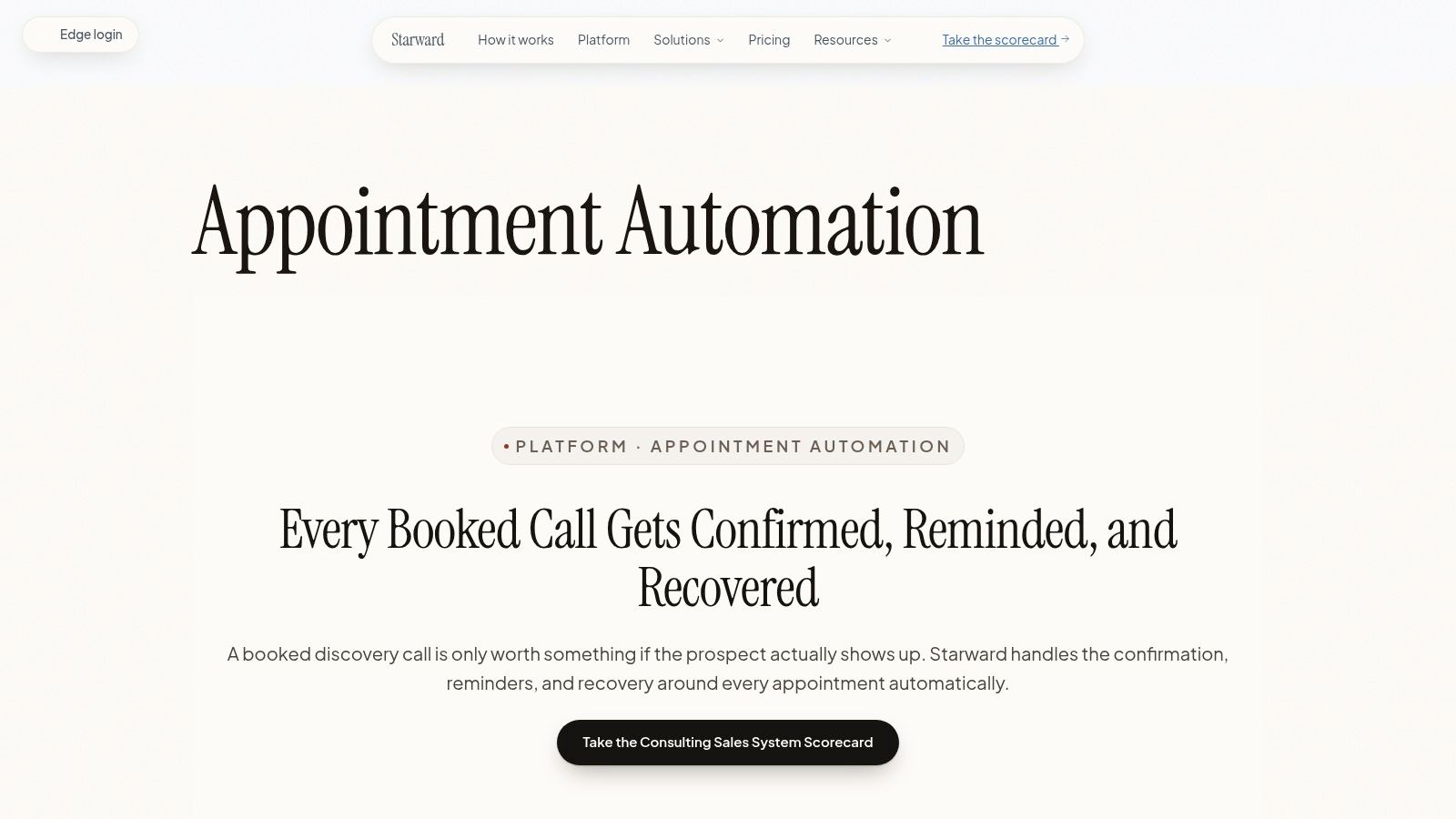
The strongest fit is a small consultancy where a missed discovery call is only one symptom of a wider process problem. The system can standardize confirmation messages, timed email and SMS reminders, rescheduling, owner notifications, and recovery sequences. It also arrives with consulting-focused pipelines and handoffs rather than asking a two-person firm to design a blank CRM before it can send a useful reminder.
Practical rule: A no-show workflow should tell the client how to recover and tell the internal owner what happens next.
The trade-off is flexibility. Campaigns, Triggers, and Workflows are reserved for higher-tier plans, so deeper branching and customization can increase the subscription cost. The done-for-you implementation and opinionated setup are useful when your firm follows a recognizable consulting process, but highly unusual delivery models may need extra configuration. Starward also offers vendor-led setup with a 14-day go-live guarantee, which reduces implementation effort but makes this less of a self-serve tool than a lightweight calendar add-on.
2. Calendly
Calendly is usually the easiest starting point for a consultant who wants a polished booking page, real-time availability, and reminders without rebuilding the scheduling process. Its booking links work in websites and emails, and its routing and round-robin features help distribute meetings across a small team. Video links for Zoom, Google Meet, and Microsoft Teams can be added automatically, so the invite and the reminder carry the same meeting destination.
Calendly's reminder mechanics are primarily workflow-driven. You can create confirmation messages, pre-meeting reminders, and follow-ups around an event type. That works well for repeatable discovery calls, but native SMS isn't the same kind of built-in, unlimited channel as email. It generally requires workflow configuration or a third-party connection, which means the actual cost and setup effort depend on the plan and the integration path.
If you're already using a CRM, check whether Calendly writes the appointment status back to the correct contact and opportunity record, not merely to a calendar.
Calendly fits the booking stage better than client delivery. It can trigger handoffs into a CRM, but deeper proposal ownership, onboarding, and referral workflows may require paid features or external automation. For firms comparing it with an operating system built around consulting workflows, review this guide to CRM software for consulting firms. Calendly is a strong choice when the main issue is frictionless scheduling. It's less complete when the main issue is accountability after the meeting is booked.
3. Acuity Scheduling by Squarespace
Squarespace Scheduling is a mature option for firms that need reminders attached to richer appointment records. It supports confirmations, cancellations, follow-ups, and automated email and SMS communications, while also handling intake forms, packages, deposits, and payments through Stripe, Square, and PayPal. That combination makes it more useful than a basic booking link when the client must submit information or pay before a session.
Acuity's website embedding is one of its practical advantages. A consultancy with a Squarespace site can place booking directly into the existing brand experience, while a firm on another platform can still use the scheduling page or embed options. Multi-calendar support also helps when several consultants offer different services or availability.
The plan structure needs careful review. SMS availability, calendar capacity, payment features, and advanced controls can vary by tier and region. A firm that starts with one consultant may find the tool straightforward, then face a higher bill as additional calendars, services, or specialized requirements are added. The top tier also offers a HIPAA BAA option, but a BAA alone doesn't make every workflow appropriate for sensitive information.
Acuity works well when the appointment itself carries substantial context. It can collect intake details and payments before the meeting, then send communication around that record. For the next stage, you'll still need a disciplined client onboarding workflow so an attended consultation doesn't disappear after the calendar event ends.
4. Square Appointments
Square Appointments is the practical choice when appointment scheduling and payment collection belong in the same system. It sends email and SMS confirmations and reminders, syncs with Google Calendar, and provides an online booking site that can connect with Instagram, Facebook, and Google. For businesses that charge deposits, retain cards, or apply no-show fees, the Square payments layer can matter more than advanced reminder branching.
Its most useful reminder feature is Square Assistant, which supports two-way SMS. A client can confirm, cancel, or reschedule by replying to the message, and the calendar can update automatically. That's a meaningful difference from one-way reminders that tell the client to contact the office and leave staff to complete the change manually.
The cost model deserves attention before a small firm commits. Paid plans charge per location, and messaging beyond included allowances can create per-text charges. A solo consultant using one location may find the stack simple. A distributed advisory firm with several offices or virtual service lines should model the location fees and message usage separately.
Square is strongest for appointment-based businesses where payment happens close to the booking or service. It's less naturally suited to a long B2B pipeline with qualification, proposal stages, and delivery handoffs. If your main problem is an empty paid slot, it's compelling. If the missed meeting is part of a wider sales process, you may need CRM automation around it.
5. Setmore
Setmore keeps the setup straightforward, which is its main advantage for a solo operator or small team that needs a booking page quickly. Email confirmations and reminders are available on the Free plan, while Pro adds SMS reminders, multiple reminders, two-way calendar synchronization, online payments, and branded booking pages. Google and Outlook calendar connections help prevent the most basic scheduling error, offering a time that has already been taken elsewhere.
The distinction between Free and Pro matters more than the interface suggests. Email may cover low-risk meetings, but firms that want a confirmation plus a later reminder or that need text messages will quickly encounter plan gating. Setmore also includes 500 SMS credits per month per Pro team member, according to the supplied product notes, so teams should check whether the allowance matches their actual booking pattern before assuming SMS is fully covered.
Setmore's 24/7 human support is useful during launch, particularly for a firm without an operations specialist. The platform can also handle payments through Stripe or Square and supports mobile management, which makes it workable for consultants who don't sit at a desk all day.
The limitation is depth. Setmore is a booking and notification tool first, not a consulting acquisition system. It won't naturally own proposal stages, delivery handoffs, or referral nurture. Choose it when you want reliable appointment mechanics with limited setup. Don't choose it expecting the reminder to coordinate every post-meeting action without additional tools.
6. Zoho Bookings
Zoho Bookings makes the most sense when your firm already operates inside Zoho CRM, Zoho Books, Zoho Meeting, or related products. It can send automated reminders for booked, rescheduled, canceled, and completed events, while embeddable booking pages and calendar synchronization keep the front end accessible to clients. The CRM connection is the differentiator because appointment activity can remain attached to the prospect record instead of becoming a disconnected calendar event.
The free plan supports basic scheduling for one user, but more advanced communications and integrations require a closer look at the plan. SMS gateway integration and WhatsApp notifications sit on the Premium tier, and gateway setup may add both configuration work and provider charges. Email reminders are easier to launch, but firms that depend on texting need to treat the gateway as part of the implementation, not as a checkbox.
Zoho's flexibility is useful for a firm with multiple service types, teams, or branded booking flows. You can configure different reminders for a discovery call, proposal review, or client check-in, then connect meeting outcomes to CRM activity. The price of that control is complexity. A small consultancy without existing Zoho knowledge may spend more time learning the system than it would with a simpler scheduler.
Use Zoho Bookings when record continuity is the priority. If your firm already has Zoho CRM ownership and stages defined, it can keep reminders close to the sales process. If you only need a booking page and one reminder, its broader ecosystem may be unnecessary overhead.
7. YouCanBook.me
YouCanBook.me is a good middle ground for teams that want more control than a basic scheduler but don't want a full CRM implementation. It connects directly to calendars, supports customizable booking pages and notification emails, and can be embedded on a website. Custom fields are useful when a consultant needs to ask about company size, project type, budget range, or meeting objective before the appointment.
SMS is available through pay-as-you-go credits, which creates a clear trade-off. You only buy text capacity when you need it, so low-volume firms aren't forced into a large messaging bundle. But SMS becomes a second cost beside the subscription, and the firm has to monitor credit usage rather than treating texting as an unlimited plan feature.
The platform's notification controls are useful for different appointment types. A discovery call might need a concise agenda and a reschedule link, while a paid advisory session could include preparation instructions. Calendar integrations and Zoom support keep the practical booking details together, but the CRM relationship may still depend on an external integration.
Branding also needs a careful review. Some configurations allow branding removal, but full white-labeling isn't complete across every email or flow. That may be acceptable for a small consultancy testing its process, but it matters if clients expect a fully branded enterprise experience. YouCanBook.me is strongest when notification control and embed flexibility matter more than end-to-end pipeline ownership.
8. SimplyBook.me
SimplyBook.me is built for businesses that need a configurable booking environment rather than a single standard appointment type. It supports embeddable widgets, a client mobile app, multiple payment gateways, and a broad set of optional custom features. Email reminders are available for basic booking flows, while SMS and WhatsApp communications use credits on paid plans.
The credit model is the part to inspect closely. The subscription gives you the scheduling foundation, but SMS and WhatsApp usage sits outside that base in separate credit pools. Advanced payment, package, membership, and industry features may also require add-ons or higher tiers. This modular approach can keep an initial setup lean, but the total cost becomes harder to predict once the business activates multiple extras.
SimplyBook.me suits international operations especially well because it supports payment options including Stripe, PayPal, Square, and Authorize.net. A firm serving clients across regions can also use the client-facing booking experience without rebuilding the entire website. That breadth is valuable for a multi-provider operation, but it introduces more choices than a solo advisor may need.
The reminder system works best when the business defines the booking states clearly. Confirmation, cancellation, rescheduling, and follow-up messages should use different templates, and the team should know who handles exceptions. SimplyBook.me gives you the configuration surface. It won't decide whether a missed executive meeting needs an automated retry, a personal call, or a proposal-stage update.
9. Apptoto
Apptoto takes the opposite approach from booking-led platforms. It layers automated messaging on top of existing calendars and CRMs, so a firm can keep the scheduling system clients already use while adding SMS, email, and voice reminders. That makes it attractive when migration would create more disruption than value.
Its voice functionality is more substantial than the usual text-and-email reminder feature. Apptoto can distinguish live answers from voicemail, and its templates support confirmations, reschedules, follow-ups, recall campaigns, and post-appointment prompts. For a firm whose clients don't consistently respond to email or text, voice can provide another route without asking staff to call every appointment manually.
A reminder tool should fit the calendar you trust, not force a migration just because its messaging is better.
The trade-off is setup effort. A calendar-centric tool still needs clear templates, timing rules, contact fields, timezone handling, and escalation logic. International SMS and voice can also create additional usage fees, so the message budget needs to be tested with real booking volume. Apptoto is more capable than a simple scheduler, but that capability only pays off when the firm configures it properly.
It fits especially well beside a mature CRM or calendar stack. Use it when the appointment record already exists and the missing layer is communication, confirmation, and recovery. For broader lead-to-client coordination, connect its reminder events to follow-up automation so a no-show or attended meeting can trigger the correct commercial next step.
10. GoReminders
GoReminders is aimed at small businesses that want appointment reminders without a large scheduling platform. It focuses on automated SMS and email, confirmations, follow-ups, message templates, and simple reporting on sent or failed messages. The appointment creation flow is intentionally uncomplicated, which reduces the time between purchase and first live reminder.
The product's strength is speed. A solo consultant or small service team can define the message cadence, add appointments, and start communicating without designing a complex CRM pipeline. Text and email reminders are included in the plan structure, so the firm avoids the immediate need to assemble separate messaging providers and automation connectors.
That simplicity is also the boundary. GoReminders has fewer advanced scheduling and workflow features than broader platforms, and some plans limit how many reminders can be sent for each appointment. If one confirmation and one follow-up is enough, that may be a sensible constraint. If you need different sequences for discovery calls, proposal reviews, multi-person meetings, and post-no-show recovery, verify the plan limits before standardizing the process.
GoReminders fits the appointment stage, not the full consulting lifecycle. It can help prevent forgotten meetings and show whether messages were sent or failed. It won't automatically create proposal accountability or start client delivery unless you connect it to another system. Choose it for low-overhead reminder execution, not for a complete operating system.
Top 10 Appointment Reminder Tools: Feature Comparison
| Product | Core features ✨ | Quality ★ | Value & Pricing 💰 | Target audience 👥 |
|---|---|---|---|---|
| 🏆 Appointment Automation – Starward Navigators | Prebuilt BD/Delivery/Referrals pipelines; multi-touch reminders & no-show recovery; proposal tracking; onboarding & handoff automation ✨ | ★★★★★ purpose‑built OS; vendor-led 14‑day go‑live | 💰 Subscription; scalable seats/contacts; Core Plus+ for advanced workflows; done‑for‑you setup | 👥 Small consulting & advisory firms needing end‑to‑end client acquisition |
| Calendly | Central booking links; team routing & round‑robin; workflows; video integrations ✨ | ★★★★ familiar, low‑friction UX | 💰 Free tier; paid tiers for workflows, AI & advanced routing | 👥 Small teams and growing consultancies wanting simple booking |
| Acuity Scheduling (Squarespace) | Email/SMS reminders; deposits & payments; multi‑calendar & HIPAA option; deep embed/customization ✨ | ★★★★ strong client comms & branding | 💰 Tiered pricing; can be pricier for many calendars | 👥 Multi-session services & firms needing payments + branding |
| Square Appointments | Booking + POS + payments; email/SMS reminders; two‑way SMS (Square Assistant) ✨ | ★★★★ integrated payments + scheduling | 💰 Transparent tiers; per‑location fees; text quota costs | 👥 Firms needing built‑in checkout and reschedule-by-text |
| Setmore | Free tier with email reminders; 2‑way calendar sync; SMS & branding on Pro; online payments | ★★★★ fast to launch; simple UI | 💰 Generous free plan; Pro adds SMS credits & removes branding | 👥 Small teams wanting low‑cost quick setup |
| Zoho Bookings | Email/SMS reminders; embeddable pages; CRM/Books integrations; WhatsApp & SMS gateway on Premium ✨ | ★★★★ strong when paired with Zoho stack | 💰 Free for one user; Premium adds gateways & features | 👥 Advisory firms already using Zoho products |
| YouCanBook.me | Granular notification control; customizable booking pages; optional SMS via credits ✨ | ★★★★ highly configurable notifications | 💰 Mid‑priced; pay‑as‑you‑go SMS credits | 👥 Teams wanting fine control over messages & branding |
| SimplyBook.me | Email reminders; SMS/WhatsApp via credits; many payment gateways; client app & widgets | ★★★★ good international support | 💰 Free tier; SMS/WhatsApp credits & add‑ons | 👥 International operations & membership/package businesses |
| Apptoto | SMS/email/voice reminders; two‑way messaging; live answer vs voicemail detection; campaigns ✨ | ★★★★ purpose‑built reminder engine | 💰 Usage‑based SMS/voice fees; add‑on costs | 👥 Firms layering advanced reminders onto existing CRMs |
| GoReminders | Simple SMS & email reminders; templates; reporting on sends/failures | ★★★ quick, lightweight & easy | 💰 Affordable tiers; reminders included | 👥 Small appointment‑based businesses seeking minimal setup |
Matching a Reminder Tool to Your Client Pipeline
Start with the channel your clients answer. Email is often enough for a familiar client who already accepted the calendar invite, while SMS can be more useful for a new prospect who booked through a form. Voice or WhatsApp may matter for specific audiences and regions. Don't pay for every channel by default, but don't choose email-only software because the plan looks inexpensive if your prospects regularly ignore email.
Then inspect what happens after the reminder is sent. A useful sequence confirms the booking, gives the meeting purpose, shows the local time, includes a safe rescheduling path, and stops or changes when the client cancels. The system should also alert the internal owner. A client who successfully reschedules is not the same as a client who disappears, and both cases need different records and follow-up.
The evidence supports treating reminders as an operational control, while keeping healthcare-derived figures in perspective. A Cochrane review of mobile text-message reminders synthesized eight randomized trials with 6,615 participants and found attendance of 78.6% among mobile-message recipients compared with 67.8% among groups receiving no reminder. That is a 10.8-percentage-point difference, but the evidence comes from healthcare, so it shouldn't be treated as a guaranteed result for consulting meetings.
Compare the mechanics, not just the feature lists
For each shortlisted tool, answer these questions before you buy:
- Included channels: Is SMS included, metered, restricted to a higher plan, or connected through an outside gateway?
- Automation access: Can your current plan send multiple reminders, branch on status, and start post-no-show recovery?
- Calendar ownership: Does a cancellation or reschedule update the calendar immediately?
- CRM continuity: Does the event update the correct contact, opportunity, owner, and stage?
- Commercial scope: Does the tool stop after the meeting, or does it support proposal follow-up and onboarding?
- Billing unit: Are you paying per user, location, calendar, appointment, message, or credit?
A simple scheduler can be the right choice when a solo consultant has one calendar and a predictable booking pattern. Calendly, Setmore, or GoReminders may be enough when the main requirement is self-booking plus reliable notifications. Acuity or Square makes more sense when payments, deposits, packages, or checkout belong close to the appointment.
A dedicated reminder layer is better when the current booking system works but communication is weak. Apptoto can add messaging and voice without forcing a migration. YouCanBook.me and SimplyBook.me offer more configuration, but you'll need to monitor credits and add-ons. Zoho Bookings is strongest when CRM continuity inside the Zoho ecosystem matters more than the fastest setup.
Pilot the workflow before committing
Run a two-week pilot using real bookings, not a test calendar. Track the no-show rate, completed meetings, cancellations, reschedules, response channel, notice period, meeting type, and lead source. Also record whether the internal owner received the right alert and whether a rescheduled meeting stayed attached to the correct CRM record.
Use the 2023 systematic review of predictive-model-based SMS reminders as a reason to think about routing and risk, not as a promise of consulting results. That review reported high-certainty evidence for reduced no-shows with predictive SMS reminders, including a median relative risk of 0.91, while a randomized trial included 502 appointments. Professional-services meetings have different incentives and contexts, so your own pilot should decide whether extra reminders help or just create noise.
Finally, decide where ownership belongs. If reminders are the only process gap, a standalone tool may be efficient. If your firm also loses leads, forgets proposal follow-up, misses handoffs, or fails to nurture referrals, a scheduling product alone won't solve the operating problem. In that case, appointment reminders should sit inside the same acquisition and delivery pipeline that captures the lead, assigns the owner, advances the opportunity, starts onboarding, and records what happened after the meeting.
Starward Navigators gives small consulting and advisory firms appointment reminders, scheduling, follow-up, proposal tracking, onboarding triggers, and client handoffs in one prebuilt operating system. If your discovery calls are slipping between calendars, inboxes, and CRM records, visit Starward Navigators to see how the workflow can be implemented around your firm's client pipeline.