You open the video link two minutes early, notes ready, proposal next steps mapped out. Ten minutes pass. The prospect doesn't join, doesn't reply to your nudge, and doesn't answer the follow-up email either. Your calendar still calls it a booked discovery call, but nobody ever confirmed it. That gap is where boutique consultancies lose pipeline, and it's why knowing how to confirm appointments means designing for silence, not just sending a reminder and hoping.
Table of Contents
- What a Confirmed Appointment Actually Looks Like
- How to Send Confirmation Messages in Order
- Handle Reschedules, Cancellations and No-Shows
- Reach Clients Who Ignore Email and Calls
- Set Up Reminder Automation Without Duplicates
- Audit Your Last 20 Bookings This Week
What a Confirmed Appointment Actually Looks Like
Say a CFO books a discovery call on Tuesday for the following Monday. The invite lands, your system marks the slot as booked, and you stop selling that hour. No reply arrives all week. On Monday the CFO doesn't join, you spend two days chasing, and the proposal conversation slips by a fortnight. Nothing failed technically. You just treated delivery as confirmation.
A confirmed appointment needs an explicit, auditable signal from the prospect, a reply, a link click, or a calendar acceptance. That distinction matters because the act of prompting changes behavior. In a 2016 meta-analysis of 28 studies, including 13 randomized controlled trials, SMS reminders produced a pooled odds ratio of 1.62 for attendance, with a 95% confidence interval of 1.35 to 1.94, meaning the odds of attending were approximately 62% higher than with no text reminder. An earlier review of randomized trials put the gain at about 50%, with a pooled effect estimate of 1.48, and found no significant difference between reminders sent 24, 48, or at least 72 hours ahead.
Four Touchpoints, One Verdict
I'd build every booking around the same four touchpoints. If you're also tightening the front end of the process, H2's guide to appointment setting is useful context on getting the meeting booked well in the first place. Confirmation then protects that work.
| Touchpoint | Timing | Channel | Response requested |
|---|---|---|---|
| Booking confirmation | Immediately after booking | Email with calendar invite | Accept or request new time |
| Reminder one | 3 days before | Email and SMS | Confirm, ask a question or reschedule |
| Reminder two | 1 day before | SMS with meeting link | Confirm or cancel |
| Escalation | No reply within 24 hours of reminder two | Personal call or message | Confirmed, rescheduled or flagged at risk |
Delivered is a system status. Confirmed is a human answer.
Until one of those replies lands, the meeting is unproven. Label it that way in your pipeline, and your forecast stops counting hope as demand.
How to Send Confirmation Messages in Order
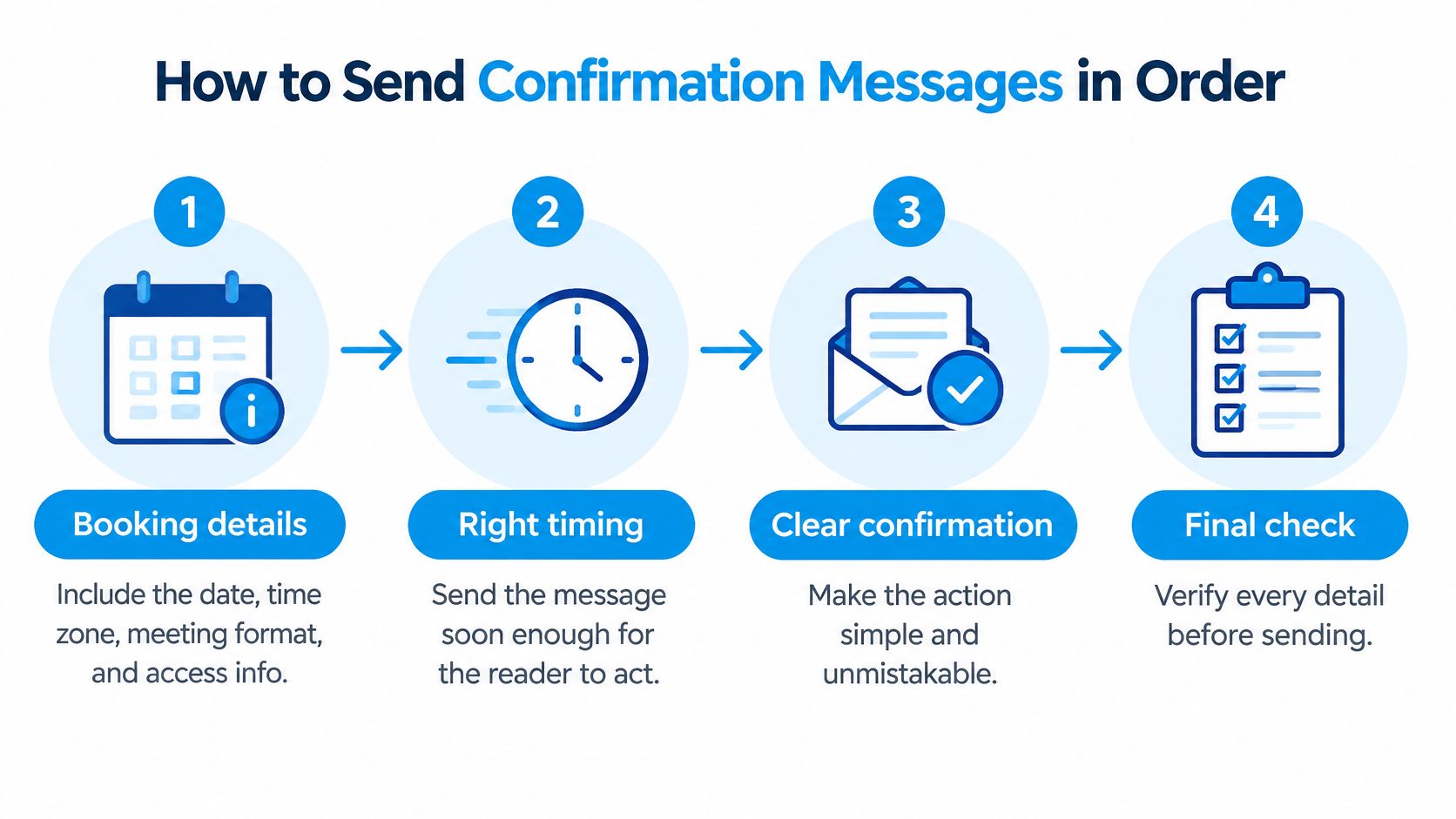
Order matters, but content carries the sequence. Every message should make the next action obvious without forcing the prospect to hunt for details.
The Six Steps for the Next Booking
- Send the booking confirmation within minutes. Attach the calendar invite and include date, time zone, format, access details, agenda, expected preparation, and a clearly labeled reschedule path.
- Put the time zone in the first line. Write the time as the prospect will experience it, not as your office records it, so a CFO in another region doesn't read the wrong hour.
- Schedule the three-day reminder. Ask for a yes or a new time. This is your early warning for conflicts, missing preparation, and wrong attendees.
- Schedule the one-day reminder, shorter. Lead with the meeting link and a simple confirm or cancel choice. Don't repeat the full agenda here.
- Log every reply in the CRM. Record status, channel, and timestamp. A reply sitting in someone's inbox isn't a system.
- Route silence to the owner. Any meeting still unconfirmed after step four goes to a named person for direct outreach, not another automated nudge.
In a randomized trial involving 54,066 appointments published in The American Journal of Managed Care, the two-reminder sequence produced a 4.4% missed-appointment rate, compared with 5.8% for a three-day reminder alone and 5.3% for a one-day reminder alone. Among high-risk attendees the gap widened further. Two reminders beat one, which is why I'd run both.
Sample Messages for a CFO Discovery Call
Booking confirmation: Confirmed for Monday 10:00 to 10:30 a.m. ET, video call. We'll review your close process and where approvals stall. Please bring last month's close timeline if you have it. Need a different time? Use the reschedule link below.
The first line fixes time and zone. The agenda tells the CFO why the call earns 30 minutes, and the preparation request is small and specific.
One-day reminder: Still good for tomorrow at 10:00 a.m. ET? Reply YES to confirm, or use this link to move it: [link]. Meeting link: [link].
Short, answerable in seconds, and safe to forward to an assistant.
Apply the same discipline after the sale, too. A clean confirmation habit connects naturally to your client onboarding workflow, where the first kickoff needs the same explicit yes. You can verify the sequence easily, each booking should produce exactly two reminders and one logged status. If you can't find the status, the meeting isn't confirmed.
Handle Reschedules, Cancellations and No-Shows
A reschedule request is the most useful reply you can get. It reads as friction, but the prospect warned you before the hour burned, and you can offer a new slot while intent is still warm. I'd take ten reschedule requests over ten polite confirmations followed by three empty calls. The main problem is the silent contact: a sent reminder proves nothing until the prospect answers, so design this part of the workflow around the person who never replies.
Map Every Reply to One Action
| Client response | Action | CRM status |
|---|---|---|
| Confirms | Stop further reminders for this meeting | Confirmed |
| Asks to reschedule | Offer two open slots from the calendar | Reschedule pending |
| Silent after two reminders | Personal call or message within one business day | At risk |
| Does not attend | Send recovery message with two alternative slots within 24 hours | No-show |
| Cancels | Release the slot the same day and offer an alternative | Cancelled |
Every row has one owner and one next step. The silent row is the one that decides whether the meeting survives: two unanswered reminders mean the sequence has run and failed, so a person picks up the contact rather than a third automated nudge.
Human contact still outperforms automation once a meeting starts slipping. A systematic review of telephone and SMS reminders indexed by the National Center for Biotechnology Information reported that reminders cut non-attendance by an average of 34% relative to baseline, with manual telephone calls reducing it by 39% against 29% for automated reminders. In one U.S. randomized study of 9,835 appointments, non-attendance fell from 23.1% to 13.6% with manual calls and to 17.3% with automated reminders.
An outpatient palliative-medicine study in the same review shows the effect at smaller scale. After a telephone call 24 hours before each appointment was introduced, the no-show rate fell from 11.8% to an average of 6.9%. The practical reading for a consultancy: spend call time on the silent and the high value, where a person changes the outcome, and let the automated sequence handle everyone else.
Recover the No-Show Without Guilt
Send this within 24 hours:
Hi [Name], we missed you at our call on [date]. Here are two open times: [slot A] or [slot B]. Reply with the one that works, or tell us a day that suits you better.
Two concrete slots make rescheduling a one-reply task, and the wording assigns no blame. People miss meetings because boards run long and deals catch fire. Shame adds friction you don't need. A no-show who answers this message moves back to Reschedule pending and rejoins the normal sequence; one who stays silent gets judged by a person, not a cadence.
Set two hard rules. First, every cancellation releases the slot the same day back into the offer pool, so the hour can still be sold. Second, after two missed meetings, stop the automated sequence and let a person decide whether the opportunity is real. Automation should stop inviting someone who has already answered with absence.
Reach Clients Who Ignore Email and Calls
A delivered reminder is not a confirmed appointment. Until the prospect replies, silence is an open question, and the honest answer is often a failed channel rather than a lost deal. The person may share a phone with family, have changed numbers, sit in weak coverage, prefer another language, or have read your message on a lock screen in front of colleagues. Writing each case off as rejection throws away real demand.
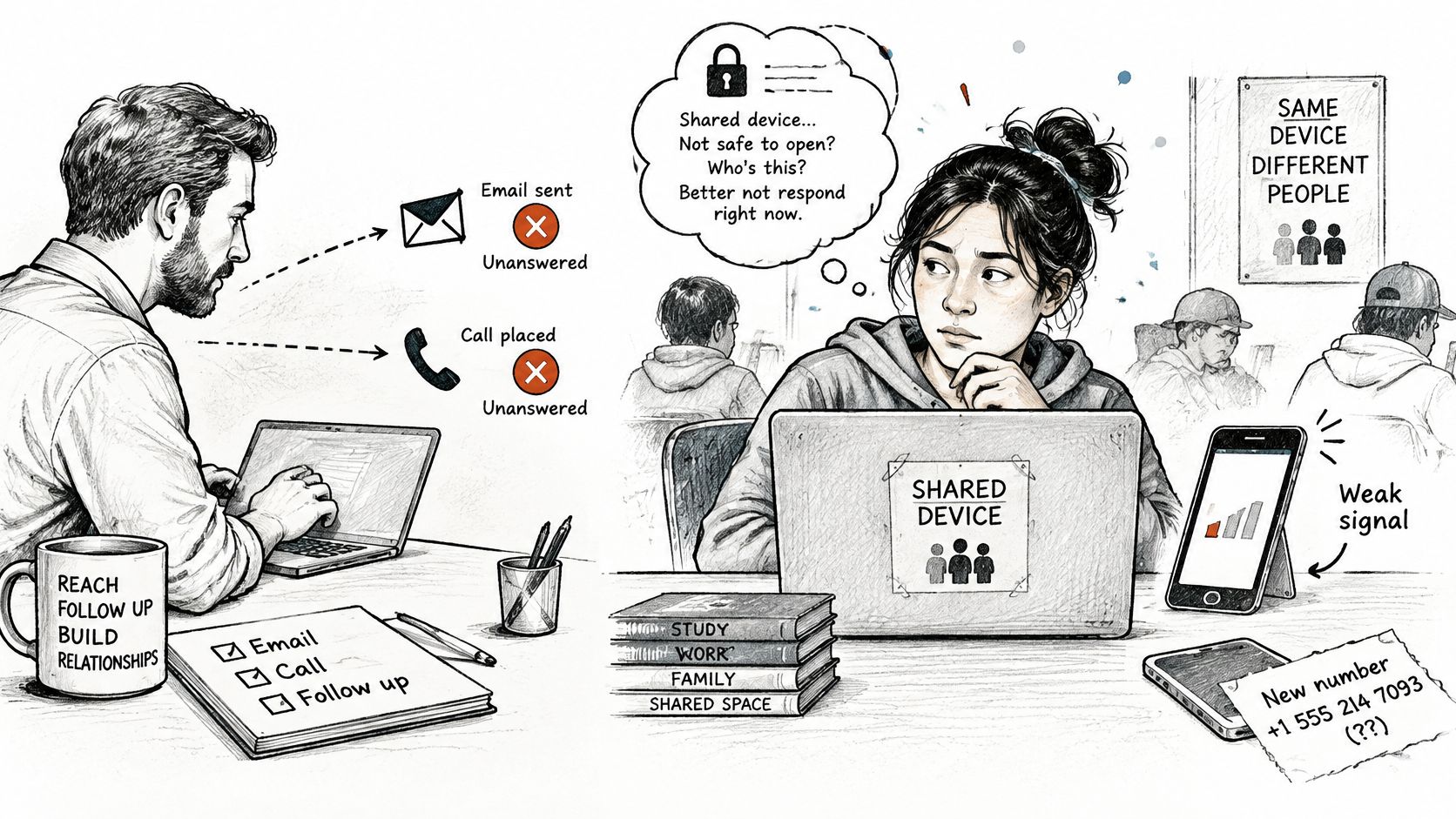
A 2025-reviewed body of research in the Journal of the American Medical Informatics Association found recurring barriers involving digital exclusion, language, confidentiality, socioeconomic inequality, shared devices, phone-number changes, lack of credit, and damaged phones. Build for those barriers at booking, not after the no-show.
Remove the Barrier, Keep the Meeting
- Ask for preferred channel and language: Capture both on the booking form, then honor them in every reminder that follows.
- Switch channels on silence: If SMS goes unanswered, try email or a short call instead of sending the same text louder.
- Keep shared-device messages neutral: A line like "Meeting tomorrow at 10:00 your time" confirms without exposing deal size, health, financial, or staffing details to whoever picks up the phone.
- Show the time zone every time: A prospect traveling or working across regions shouldn't have to convert your office time.
Consent deserves the same care as channel choice. Consent rules differ between reminder messages and marketing messages, so keep the two separate: record where each contact's consent came from and honor opt-outs immediately. A number given for scheduling doesn't automatically authorize promotional sends, so never slip a pitch into a confirmation. The moment a reminder reads like an ad, trust and deliverability both suffer.
Give people a way to answer that doesn't depend on your tooling. Some recipients can't click links or reply with codes, so accept a plain-text email reply or a short call and log the confirmation yourself. For a silent contact, that fallback is often the difference between a prospect who ignored you and one who never had a workable way to reply.
Set Up Reminder Automation Without Duplicates
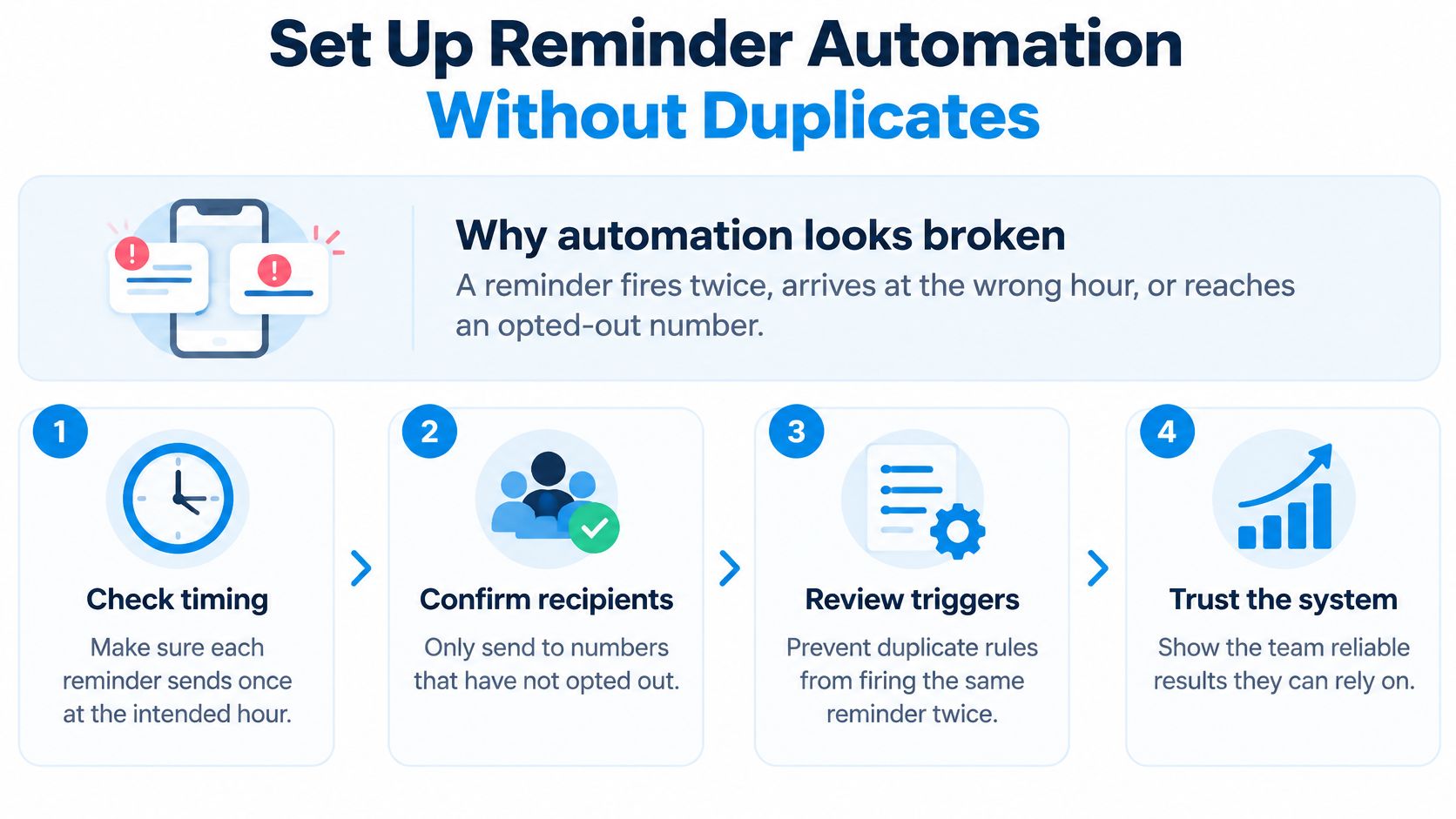
Automation usually loses the team's trust in one week. A reminder fires twice, lands at 3:00 a.m. in the prospect's time zone, or reaches someone who opted out. After that, consultants go back to personal spreadsheets and your data fragments again.
Seven-Step Setup Checklist
- Connect calendar and sending domain first. The customer must provide access to the calendar and domain they want connected before setup begins. In our system, calendar and scheduling come with the platform, so there's nothing separate to reconcile.
- Trigger from the appointment record. Calculate timing in the recipient's time zone, starting 48 to 72 hours ahead, and keep the one-day SMS.
- Suppress duplicates by meeting ID. Each meeting gets one active reminder, cancelled automatically when a reply, cancel, or reschedule arrives.
- Set opt-out handling to immediate. Stop non-essential messages at once and keep transactional confirmations separate from sales content.
- Add the escalation task. An unanswered high-value meeting creates a task for its owner. Discovery call confirmations and reminders go out automatically, and a no-show triggers a recovery sequence, but a person still owns the silent cases.
- Test with your own booking. Run it across two time zones and both email and SMS before a prospect sees it.
- Review failures weekly. Check delivery failures, invalid numbers, opt-outs, time zone errors, and duplicate contacts.
Don't treat the default timing as proven. A systematic review and meta-analysis of randomized trials in PMC found SMS reminders increased the likelihood of attendance by 48% relative to no reminder, with a 95% confidence interval of 1.23 to 1.72, and found no statistically significant difference for reminders sent 24, 48, or 72+ hours before the appointment. Test copy and escalation rules with randomized splits when volume allows. For a deeper look at the mechanics, Truespeak's walkthrough on automating reminders for booked appointments pairs well with our own follow-up automation platform approach. The goal isn't more messages. It's one clean signal, sent once, at the right local hour.
Audit Your Last 20 Bookings This Week
Pull your last 20 bookings and sort each one into five groups: explicit reply, reschedule request, no-show, cancellation, or confirmed only by delivery. Count the delivery-only group first. That pile is what you've been calling confirmed meetings, and it's usually larger than anyone expects. Every slot in it is a sent reminder nobody answered, which means the confirmation was never proven.
Compare that list against the four touchpoints from the opening table and find the missing one. In most small firms it's the three-day reminder or the escalation call, because both require someone to notice silence. Add that single missing touchpoint first rather than rebuilding everything. A purpose-built CRM for consulting firms makes the audit easier because status, owner, and next step sit on the same record, so a silent booking surfaces instead of blending into the calendar.
Then make the one decision teams postpone. Do high-value discovery calls stay on personal outreach, or do you automate them with a human escalation path behind the automation? Either can work. Drifting between both cannot. Name one owner for confirmations who reviews the weekly failure report, and if you bring in help to install the system, plan to provide your contact list, calendar and domain access plus one person who can answer questions during setup. Setup takes about two weeks in most cases once that access is in hand, and Starward tells customers before they commit if their situation looks like it will take longer.
A booked slot counts as confirmed only when the prospect says so.
The audit itself is yours to run: pull the 20 bookings this week, sort them, and install the missing touchpoint. If you want to see how confirmation, reminder, and no-show recovery workflows come configured for a consulting firm, visit Starward Navigators.