You sent the proposal after a promising discovery call. The client said the scope looked right, then stopped replying. Now you're rereading the email thread, wondering whether another message will help or just make you look anxious.
The useful question isn't how to chase harder. It's how to follow up client proposals with a decision process: agreed timing, a limited attempt budget, useful messages, and a recorded outcome. Treat an unclear next step as the first problem to fix, rather than assuming you haven't sent enough emails.
Table of Contents
- Follow-Up Timing by Stage and Client Context
- How to Follow Up After Discovery and Proposals
- Message Templates That Get a Reply
- Choosing Channels Without Annoying Clients
- Tracking Metrics That Show a Deal Is Stalling
- Automating Follow-Up Without Losing the Human Touch
- Start This Week With One Stalled Proposal
Follow-Up Timing by Stage and Client Context
| Stage | First follow-up | Next touches | Stop or pause when |
|---|---|---|---|
| Inquiry received | Within 5 minutes, with a personal reply after any automated acknowledgment | Day 1, then Day 3 | Prospect replies or books a call |
| Discovery call booked | Confirmation at booking, reminders 24 hours and 2 hours before | Recovery message within 1 business day after a no-show | Call is held or prospect declines |
| Discovery complete | Recap email within 24 hours | Confirm proposal date, check in on the target decision date | Proposal is sent |
| Proposal sent | 2–3 business days after sending | Value-based touch every 4–7 days | Decision received or written no-decision recorded |
| Stalled after proposal | Value-based message at 14 days without response | Move to dated nurture at 30 days | Client replies or file is formally closed |
| Urgent operational project | Same business day | Daily until work is scheduled | Work begins |
These are recommended planning defaults, not measured consulting benchmarks. Replace a default whenever the client agrees to a different review schedule.
Context matters. The Meera SMS Benchmark 2025 reports average response times ranging from 0.8 days in real estate to 5.9 days in financial services, illustrating why a universal waiting period is a poor starting point.
Adjust for the actual buying process
For an inquiry, prioritize availability. For booked discovery, prioritize attendance. Once discovery is complete, schedule around the client's internal review, not your desire to finish the sale.
A founder buying a narrow diagnostic can decide differently from a finance director coordinating procurement and legal review. Ask who must review the proposal and when they'll meet before choosing the next send date.
The benchmark also identifies midday as a concentration point for replies. Test late-morning or early-afternoon sends in the client's time zone rather than sending late at night.
Timing rule: A promised review date is more useful than a generic follow-up interval.
Build your own version of the table. Add a column showing how long your recent clients took to decide, then adjust the defaults where your assumptions consistently differ from their buying process.
How to Follow Up After Discovery and Proposals
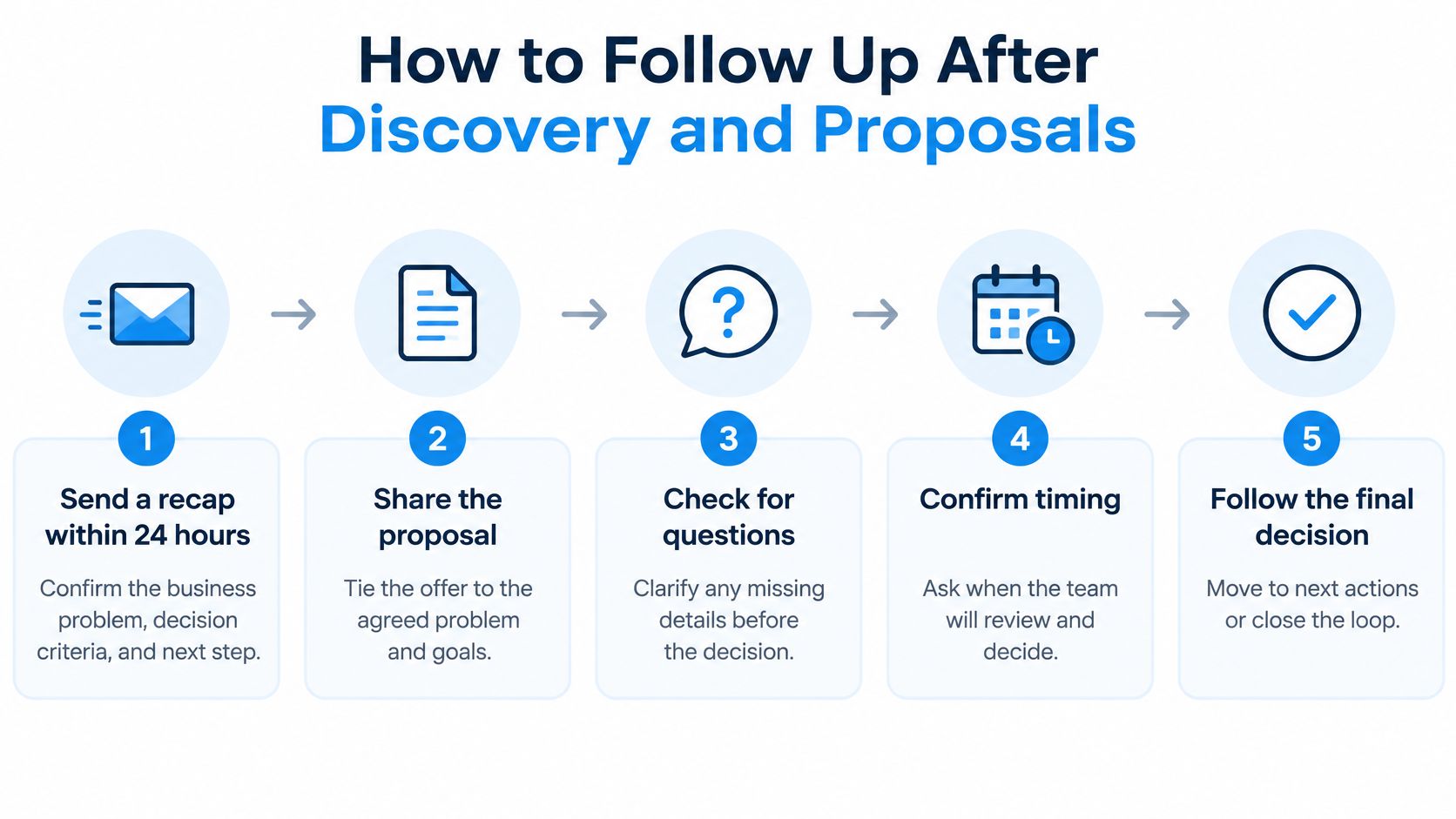
A proposal should document a decision the client understands, not introduce a buying process you haven't discussed. Use this sequence to turn verbal interest into accountable tasks.
Document the agreement before asking for approval
Send a discovery recap. Use the recap window in your timing plan to confirm the business problem, decision criteria, stakeholders, commercial assumptions, and target decision date. Include the next scheduled interaction so the client can correct your understanding before you price the wrong engagement.
Package the proposal for a decision. Include a concise decision summary, explicit options, a validity period, implementation dependencies, and a calendar link. Explain what the client must supply, such as access or staff availability, because those commitments affect whether the proposed start is realistic.
Create stage-based tasks. Assign confirmation, clarification, decision review, and closed-loop disposition to a named owner. Before relying on activity history, use VoxNote's CRM email integration setup checks to review the connection between your inbox and CRM, so colleagues aren't acting on an incomplete thread.
Confirm receipt with a substantive question. At the planned proposal follow-up, ask about a decision criterion rather than whether they've read the document. For example, ask whether implementation support or a narrower initial scope better matches their capacity.
Resolve the blocker and record the outcome
Run a decision review on the agreed date. Ask which option fits and what would prevent approval. If the client needs more time, replace the expired date with a specific review event and owner.
Escalate an overdue commitment with useful information. Clarify a risk, revise a scope assumption, or explain an implementation dependency. Don't manufacture urgency by pretending your calendar is full.
Verify economic-buyer involvement. Ask directly whether the person approving the budget has reviewed the proposal. Offer to help the champion prepare an internal decision summary rather than bypassing them.
Record the disposition. Mark the opportunity won, lost with a reason, or no decision after the agreed closure date. Silence is a pipeline state requiring a task or disposition, not evidence that the client secretly intends to proceed.
Speed still matters at intake: Bebop's sales follow-up statistics summary describes an analysis of 1.25 million leads in which firms attempting contact within an hour were nearly seven times as likely to qualify a lead as firms waiting longer. That's an inbound qualification finding, not a reason to rush a considered proposal decision.
Message Templates That Get a Reply
Use these as adaptable drafts, not automatic responses. Each needs a real project reference, a named date, and a question the recipient can answer without reconstructing the whole conversation.
Post-discovery recap
Purpose: Confirm your understanding before scoping the work. Target length: A short paragraph plus the agreed criteria.
Subject: Confirming the plan for [project]
Hi [Name], thanks for discussing [specific problem]. You want [outcome], with success judged by [criteria]. I'll prepare the scope around [assumption], with [date] as the proposed decision date. Does that accurately capture what your team needs?
The project details make the message recognizable. The closing question invites correction before misunderstandings become proposal revisions.
Proposal check that adds value
Purpose: Resolve an assumption that affects the choice. Target length: A compact paragraph.
Subject: A scope point before your [date] review
Hi [Name], the proposal assumes your team will own [task]. If capacity is tight, the supported option includes that work. Which option better fits the resources available for your [date] decision?
This gives the client something specific to evaluate. It avoids making them answer a vague request for an update.
Smaller next step for a stalled deal
Purpose: Reduce the effort required to restart. Target length: A few sentences.
Subject: Resolve [open question] on [date]?
Hi [Name], [open question] appears to be the remaining blocker. Would a short review on [date], focused only on that issue, help you decide? There's no need to revisit the full presentation.
The bounded agenda makes the commitment manageable. It names a possible blocker without claiming to know why the client is silent.
Closed-loop message
Purpose: Establish an orderly ending. Target length: A brief paragraph.
Subject: Closing [project] on [date]
Hi [Name], I'll close the active proposal on [date] unless you'd like to continue. What's the main reason for the pause? You're welcome to reopen the conversation when the timing changes.
The closure date removes ambiguity. The question makes a useful loss reason easier to provide.
Delete filler openings, repeated reminders, and messages that ask for nothing. I'd keep each email under 120 words as an editing rule, not a performance guarantee.
For price or scope objections, answer the stated concern and offer a lower-risk option. Tie any discount to a defined scope and decision date, never to silence.
Choosing Channels Without Annoying Clients
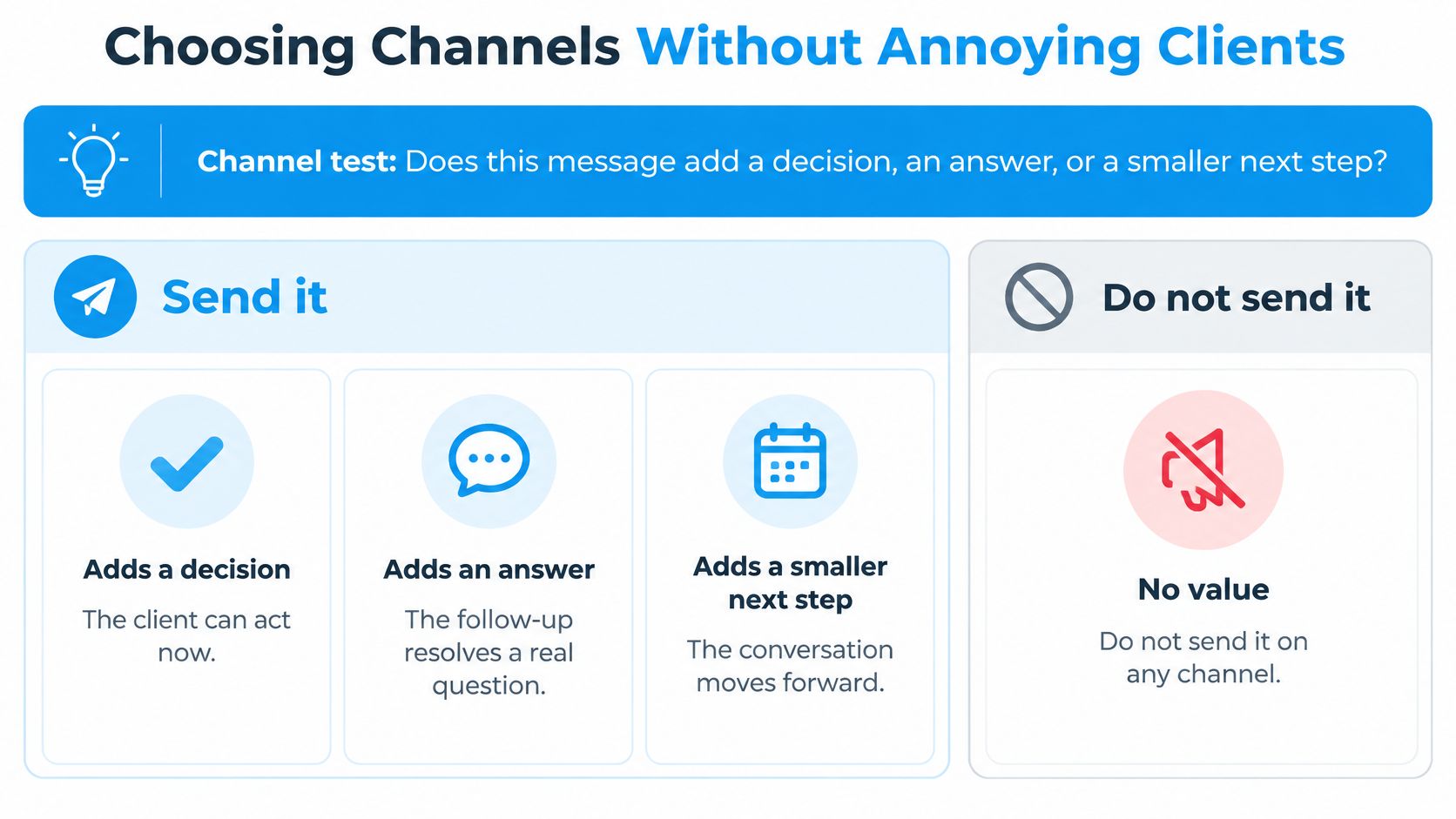
Before switching channels, ask: Does this message add a decision, an answer, or a smaller next step? If it doesn't, don't send it anywhere.
| Channel | Best for | Avoid for |
|---|---|---|
| Proposals, decisions, commitments, and anything the client may need to find later | Quick confirmations better suited to text or calendar | |
| Calendar invitation | Scheduling, reschedules, and kickoff details | Discussing a decision or objection |
| Phone | A stalled conversation after unanswered emails, when the call adds a specific question | Routine reminders and purposeless sequences |
| Text message | Quick confirmations for prospects who opted in or already replied by text | Proposals or any sequence without opt-in |
| Messaging app or social | Where the client already uses it for work and has opted in | An unfamiliar or uninvited channel |
Email is the working record. Keep scope changes and commercial commitments there, even when you discuss them elsewhere.
Calendar invitations handle logistics, not persuasion. Don't send an unsolicited meeting invitation as a way to force a response.
Switch for a reason, not for visibility
A phone call can resolve a narrow question about budget timing or approval. Leave a useful reason for calling rather than repeating that you sent an email.
Text suits quick coordination when the client has accepted that channel. A mobile number in an email signature isn't an invitation to start a promotional sequence.
The Mobile Ecosystem Forum's U.S. engagement analysis reports that email preference increased six percentage points in 2025, while iMessage preference reached 19%. Follow the client's established work habits rather than chasing the newest channel.
Confirm applicable consent, messaging, and retention requirements before launching a sequence. We don't provide compliance, regulatory, or licensing guidance; firms remain responsible for their own regulatory obligations.
Tracking Metrics That Show a Deal Is Stalling
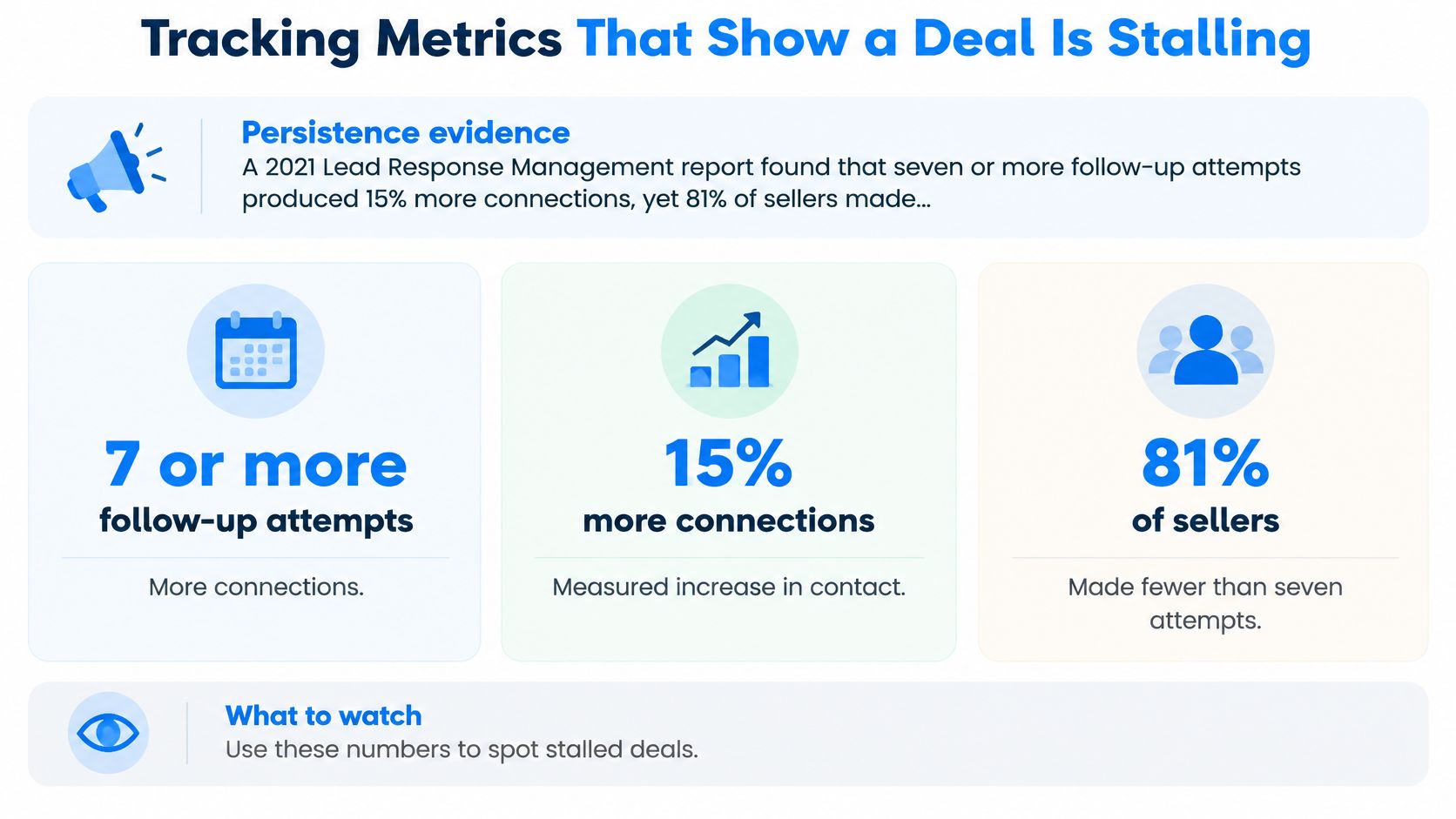
The 2021 Lead Response Management report found that seven or more follow-up attempts produced 15% more connections, yet 81% of sellers made five or fewer attempts. That supports planned persistence, not an unlimited license to contact a quiet buyer.
Set an attempt budget per opportunity before outreach begins. Count purposeful attempts across channels, and reserve the final touch for a disposition review rather than another reminder.
Review exceptions, not just activity totals
Use the following as suggested internal warning thresholds, not industry benchmarks. Review them each Friday and adjust them to your buying cycle.
| Metric | What it reveals | Warning sign |
|---|---|---|
| Days since last meaningful interaction | Whether the deal is still active | More than 10 business days with no dated next step |
| Next-step completion rate | Whether promised actions happen on time | Two or more promised actions overdue within one deal |
| Stakeholder coverage | Whether the economic buyer is involved | No named economic buyer by the proposal stage |
| Proposal-to-decision time | How long decisions take in practice | Two weeks past the target decision date |
| Win rate by source | Which channels produce signed clients | Source falls below firm average for two quarters |
| Loss-reason distribution | Why deals stall or close | Most losses tagged as no reason given |
| Open no-decision opportunities | Pipeline hygiene | Any item older than 60 days without a dated next step |
A meaningful interaction changes your understanding or secures a commitment. An email open doesn't qualify.
When assessing a CRM for consulting firms, check whether an owner can retrieve these fields without searching separate inboxes and spreadsheets. Useful reporting shows the missing action, not merely how many messages someone sent.
Not yet ready means there's a stated reason and a dated return to nurture. Lost means the opportunity has ended and needs a loss reason; don't leave either category in the active forecast.
Review your recent proposals and count how many had a next action with an owner and date. That's the first pipeline habit to repair.
Automating Follow-Up Without Losing the Human Touch
Start with the process map, not the workflow builder. Write down how leads, meetings, proposals, clients, and referral partners currently move through your firm, including where someone must make a judgment.
Use that map to separate repeatable administration from relationship work.
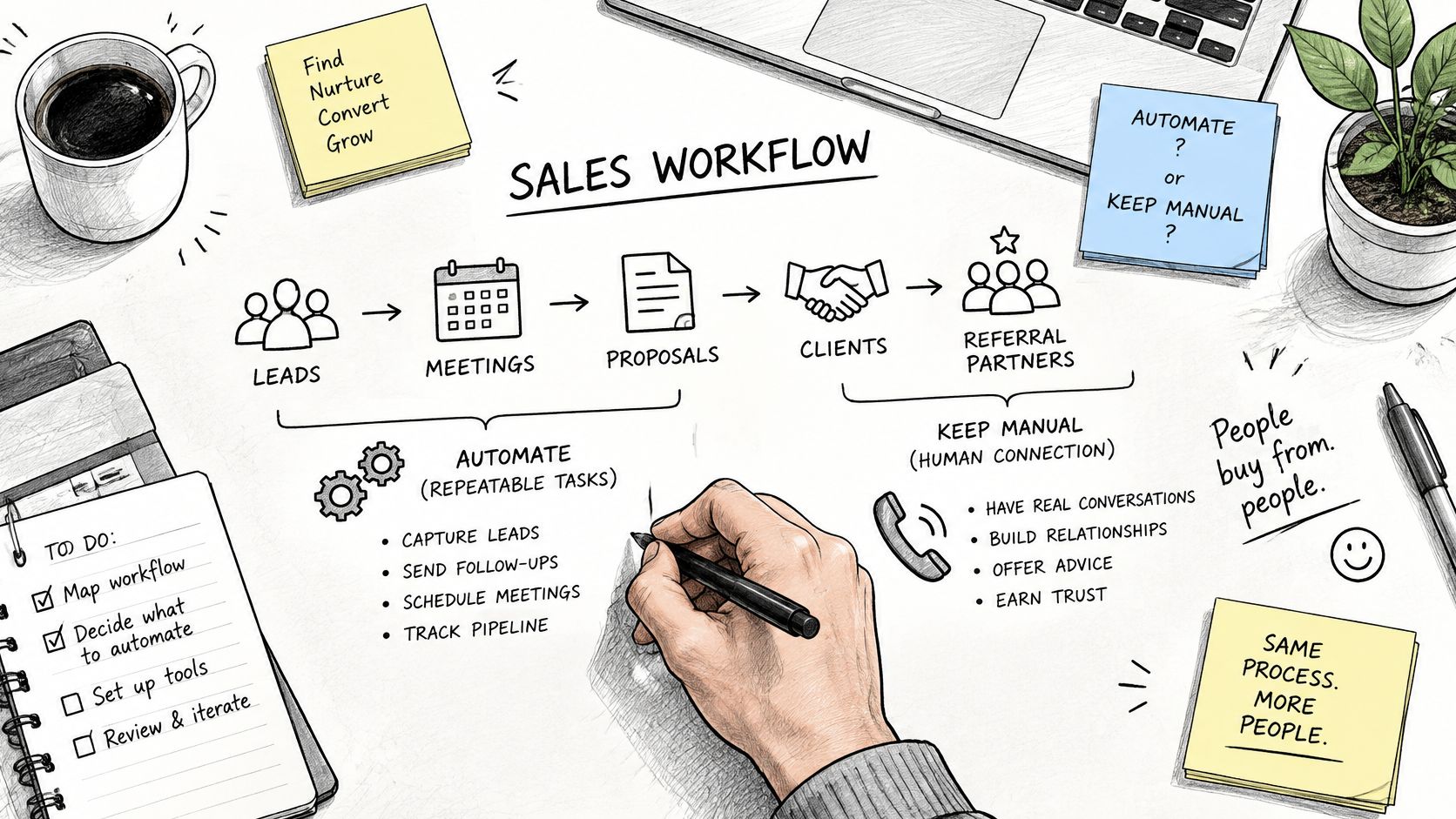
| Automate | Keep human |
|---|---|
| Inquiry assignment and acknowledgment | A response addressing the stated problem |
| Discovery confirmations and reminders | Preparation for the conversation |
| No-show recovery triggers | Decisions about repeated rescheduling |
| Proposal task creation and aging alerts | Scope explanations and objection replies |
| Won-stage record updates and handoffs | Delivery expectations and relationship ownership |
Set a response-time service standard. The InsideSales response-time guidance recommends assigning inquiries immediately and requiring a personalized call or email within five minutes; an automated acknowledgment isn't that personal response.
Track median and upper-percentile response time, compliance with the response standard, and booked-meeting rate by source and owner. Define out-of-hours coverage explicitly rather than promising availability nobody can provide.
Build handoffs around actual status changes
Our implementation starts by mapping the firm's movements, then configuring pipelines, sequences, reminders, routing, and handoffs around that map. Discovery confirmations and reminders run automatically, and a missed call triggers recovery.
When an opportunity becomes Won, the client record updates, the delivery pipeline starts, the owner is notified, and onboarding and kickoff scheduling begin automatically. That status change should trigger delivery work, not leave another salesperson reminder running.
For a practical division of administrative work, Approved Lux Personal Assistant's guide to reclaim time with automated follow-ups is a useful companion. Evaluate follow-up automation against your mapped responsibilities rather than the number of messages it can send.
Use the workflow walkthrough alongside your map.
Stop automated outreach on replies, bookings, opt-outs, or disqualification. Before launch, test for unassigned leads, acknowledgments mistaken for human contact, and missing out-of-hours ownership.
Start This Week With One Stalled Proposal
Write your timing rules into a shared sheet. Choose the rows that match your pipeline and assign an owner to each stage. Record the first touch, subsequent action, and stop event so colleagues don't improvise competing sequences.
Adapt the templates to your voice. Replace every placeholder with a real issue, decision date, or commitment. Put reply, booking, opt-out, and formal closure triggers beside the drafts so the stopping logic is as visible as the wording.
Assign a channel to each job. Remove messages that merely repeat another channel's content. Delete text sequences without appropriate permission, and keep commercial decisions in a retrievable written record.
Set an attempt budget and review exceptions. Choose a finite budget for the opportunity, including a final no-decision review. During your Friday review, investigate missing stakeholders and overdue commitments before adding more outreach.
Confirm the applicable rules. Check consent, messaging, and data-retention requirements for your jurisdiction and client type before introducing another channel. Record who owns that review so it doesn't become an assumption everyone shares and nobody verifies.
Run this process on one stalled proposal before changing the rest of your pipeline. Record its stage, elapsed time since meaningful contact, economic buyer, and next dated action.
If the client accepts, use a defined client onboarding workflow to transfer the agreed scope and commitments into delivery. If they don't proceed, record the outcome and reason rather than leaving the file indefinitely active.
Change nothing else until that proposal reaches a decision or documented disposition. You're testing whether the process produces a clear outcome, not whether you can send more messages.
Starward Navigators builds client acquisition infrastructure for independent advisors and small consulting firms, including defined proposal follow-up, appointment reminders, and client handoffs. Visit Starward Navigators to explore a mapped operating system that gives each opportunity an owner, a next action, and a route to a recorded decision.