A strong client onboarding email template does more than say hello. It reduces uncertainty, collects the right information, confirms ownership, documents decisions, and keeps delivery moving while the client's attention is still high. Benchmark data on onboarding sequences shows why this matters, with average open rates in the 40% to 60% range and click-through rates in the 10% to 25% range, plus activation milestone completion rates of 20% to 45% in the same benchmark set (customer onboarding benchmark data). A separate benchmark places onboarding open rates at 50% to 65%, with high-performing sequences reaching 70%+ and excellent ones exceeding 80% (customer onboarding benchmark data).
That's why the best onboarding sequence isn't one email, it's a lifecycle. The first touch confirms the win, the next one gathers context, the following messages lock in the kickoff, recap decisions, show progress, and keep the relationship active after delivery. For consulting and advisory firms, including Starward Navigators' audience, the work is turning each message into a repeatable handoff with a clear trigger, a named owner, and one obvious next action.
Use the examples below as a lifecycle, not a pile of separate templates. Replace bracketed placeholders with the client's scope, contact names, deadlines, and responsibilities. Keep each email short, specific, and tied to a single operational goal. If you automate the trigger, the message, and the follow-up path together, the template stops being “a welcome note” and becomes part of your delivery system.
Table of Contents
- 1. Welcome and Account Setup Email
- 2. Discovery Kickoff and Information Gathering Email
- 3. Kickoff Meeting Confirmation and Agenda Email
- 4. Post-Kickoff Summary and Next Steps Email
- 5. First Delivery Milestone Update Email
- 6. Mid-Engagement Check-In and Adjustment Email
- 7. Final Deliverable Handoff and Transition Email
- 8. Ongoing Value and Referral Partner Email Cadence
- 8-Point Client Onboarding Email Template Comparison
- Build the Onboarding Sequence Behind the Templates
1. Welcome and Account Setup Email
This is the first message after contract signature, payment, or a Won-stage update. It should confirm the engagement, introduce the account owner, and show the client exactly what happens next. The fastest wins here are clarity and confidence, not polish.
SaaS companies often trigger this on subscription confirmation, while consulting firms can trigger it the moment an MSA is signed. In Starward Navigators, that's the natural point to automate the onboarding email from a Won stage change, then notify the delivery owner and start the kickoff sequence. The internal client onboarding overview is the right place to anchor that workflow.
Practical rule: the first onboarding email should make scheduling impossible to miss. One CTA, one owner, one next step.
What this email must accomplish
The client needs to know who's responsible, how to get started, and where to go if something urgent comes up. That means a prominent scheduling button, a named contact, and a brief reference to the engagement scope. If you bury the meeting link inside a paragraph, you've already created unnecessary friction.
A good version also includes an emergency or backup contact path, especially for professional services teams where the main account lead may be in meetings. Keep the message lean, then push detailed resources into a follow-up doc or checklist. That keeps the email readable on mobile and prevents the “wall of text” problem that slows action.
For consulting and advisory firms, the trick is to reinforce value without overexplaining. Mention the specific outcome the client bought, the next meeting window, and the person who will own delivery. The email should feel like a handoff, not a brochure.
2. Discovery Kickoff and Information Gathering Email
Once the welcome is sent, the next email should collect the inputs your team needs to prepare well. Many engagements stall here because clients assume the kickoff meeting will sort everything out. It usually won't unless the intake is simple, specific, and time-bound.
A practical client onboarding email template asks for the essentials and routes the rest into a form or worksheet. Recent guidance recommends keeping discovery to 5-7 questions maximum, because quality matters more than volume, and the form should be mobile-friendly and completable in under 10 minutes (onboarding welcome email expectations). If you need more context, split it into follow-up stages instead of asking for everything at once.
How to structure the ask
Explain why the information matters, not just what you need. Stakeholder lists, P&L snapshots, organizational charts, project worksheets, and prior materials help your team arrive at the first meeting with context instead of assumptions. That matters in advisory work, where the first conversation often sets the operating rhythm for the rest of the engagement.
A strong version also sets a deadline and a reminder cadence. Send the intake request immediately after the welcome email, then follow up before the deadline with a short nudge that restates the one missing step. Assign one internal owner to review responses and brief the team before kickoff.
Clients respond better when the request feels like preparation, not admin. If the email shows that their answers will shape the first recommendations, completion rates usually improve in practice.
For Starward Navigators users, this is a clean place to automate the intake link, the reminder, and the internal task to review responses before the kickoff. See the full client onboarding workflow for the complete sequence. That keeps the delivery team from opening the first meeting cold.
3. Kickoff Meeting Confirmation and Agenda Email
A kickoff confirmation email should go out several days before the meeting, with enough time for conflicts to surface and be resolved. Benchmark timing guidance around onboarding shows that many organizations still miss the window, with only 57.7% of brands sending a welcome email at all and 41% of those missing the first 48 hours (client onboarding workflow analysis). The point is simple, the client should never wonder whether the meeting is still on.
This email does three jobs at once. It confirms the date and time, introduces the people attending, and explains what the meeting will cover. If you're running a consulting kickoff, especially for a project or retainer client, include the lead consultant's photo and a short bio so the call doesn't start with awkward introductions.
Make attendance and preparation explicit
Ask the client to confirm who will attend. If they don't reply, treat that as a signal, because missing stakeholders usually become missing decisions later. Put the video link near the top, then add a simple “what to expect” section that explains the structure and the outcomes.
The agenda should be concrete. Cover goals, current context, required client inputs, and what happens after the meeting. If the client needs to review a brief, prepare access credentials, or share internal background, say so plainly. The more you reduce ambiguity now, the less time you'll spend chasing missing pieces later.
For law firms, advisory practices, and Accenture-style structured meetings, the confirmation email is also a credibility signal. It shows that the process is managed, not improvised. That matters because clients judge your operating discipline long before they judge the work itself.
Keep the email short enough that someone can scan it on a phone while walking into another meeting. Clarity beats cleverness every time.
4. Post-Kickoff Summary and Next Steps Email
This is the email that turns a good meeting into an executable plan. Send it within 24 hours of the kickoff, and ideally within 4 hours if someone on your team can move that fast. If the client leaves the meeting with decisions in their head but nothing written down, you've already introduced avoidable drift.
Meeting-summary tools like Otter.ai and Fireflies.ai can help draft the recap, while Asana or Monday.com integrations can turn action items into structured follow-up. The email itself still needs a human review, because automation should support accuracy, not replace judgment.
Write for recall, not ceremony
Use numbered lists, bolded owners, and plain language. Capture the decisions made, the priorities agreed, and the next actions on both sides. If scope depends on dollar amount, hours, or a specific service boundary, restate it cleanly here so future disputes don't start from memory.
The best recap emails don't just summarize. They document accountability. Name the client-side person responsible for each action, not a vague “your team.” Add a reply request such as, “Please reply within 2 business days if anything here is inaccurate,” so corrections happen while the meeting is still fresh.
A useful trade-off here is tone. Be professional, but don't make the recap sound formal or legalistic. Consulting clients need a working document they can act on, not a polished memo they ignore. The more concrete the ownership, the easier it is to keep momentum through the next delivery step.
5. First Delivery Milestone Update Email
The first milestone email is where the client starts to feel progress, not just process. That's why it should arrive when the client is likely to read it, usually mid-week and mid-morning, rather than at the end of a distracted Friday. The email should be short, visual, and tied to the exact challenge or goal discussed in kickoff.
If the engagement is a digital agency sprint, this might be design comps or early concepts. For strategy work, it might be initial research findings. For marketing advisory, it could be the first performance readout after the opening month. The format stays the same, but the substance changes with the service model.
Keep the update tight and useful
Aim for a concise body, then link out to fuller documentation. Include at least one visual, such as a chart, screenshot, or annotated mockup, so the client can understand the update quickly. Ask one specific question that moves the work forward, because a milestone update that ends in silence usually loses energy.
Personalization matters here in a different way than it does at kickoff. Refer back to the client's stated goals, the obstacle they wanted solved, or the metric they care about most. That makes the update feel like progress on their problem, not just output from your team.
If the client can't tell why the milestone matters, the update is too abstract.
This is also a strong point for pipeline automation. Once the first milestone is marked complete in Starward Navigators, the system can notify the account owner, trigger the client-facing update, and queue the next internal task without anyone reconstructing the workflow by hand.
6. Mid-Engagement Check-In and Adjustment Email
The midpoint check-in is the most underrated message in the sequence. By the time you're halfway through the engagement, the client has enough experience to know whether the work feels on track, but not enough time left to absorb a slow correction. That makes this the right moment to surface friction early.
The most effective version sounds like a value review, not a complaint form. It asks, in plain language, whether the engagement is still moving toward the stated objectives and whether anything needs to change. In coaching, implementation, and agile consulting, this is the message that prevents small misunderstandings from turning into end-of-project disappointment.
Make the feedback ask easy
Keep the survey or response path under 2 minutes if you use one. Offer a call or video sync as an optional next step when the feedback is more nuanced than a quick reply can handle. Have the account owner personally sign the email, because a midpoint check-in feels much stronger when it comes from the person closest to the work.
If something is off, use the replies to build an internal adjustment plan before the next client meeting. That might mean refining the cadence, clarifying ownership, changing the format of deliverables, or resetting one expectation that was too vague. The point isn't to prove the process is perfect, it's to catch drift while it's still easy to fix.
For consulting firms with retainer or fractional engagements, this email also helps distinguish dissatisfaction from simple misalignment. Sometimes the work is fine and the client just needs a different cadence. Sometimes the scope needs a reset. Either way, the midpoint message gives you the chance to act before the relationship hardens around silence.
7. Final Deliverable Handoff and Transition Email
The final handoff email should feel like a clean finish, not a disappearing act. Start with the result, not with a recap of your own effort. Clients want to know what changed, what they now have in hand, and how they should use it from here.
In strategic consulting, final recommendations and implementation roadmaps get transferred. In technology delivery, trained systems and support agreements move into the client's environment. In executive search, the placement and any follow-up period are confirmed. The structure changes, but the purpose is consistent, to move from delivery into sustained value.
An image placed here can help frame the handoff visually.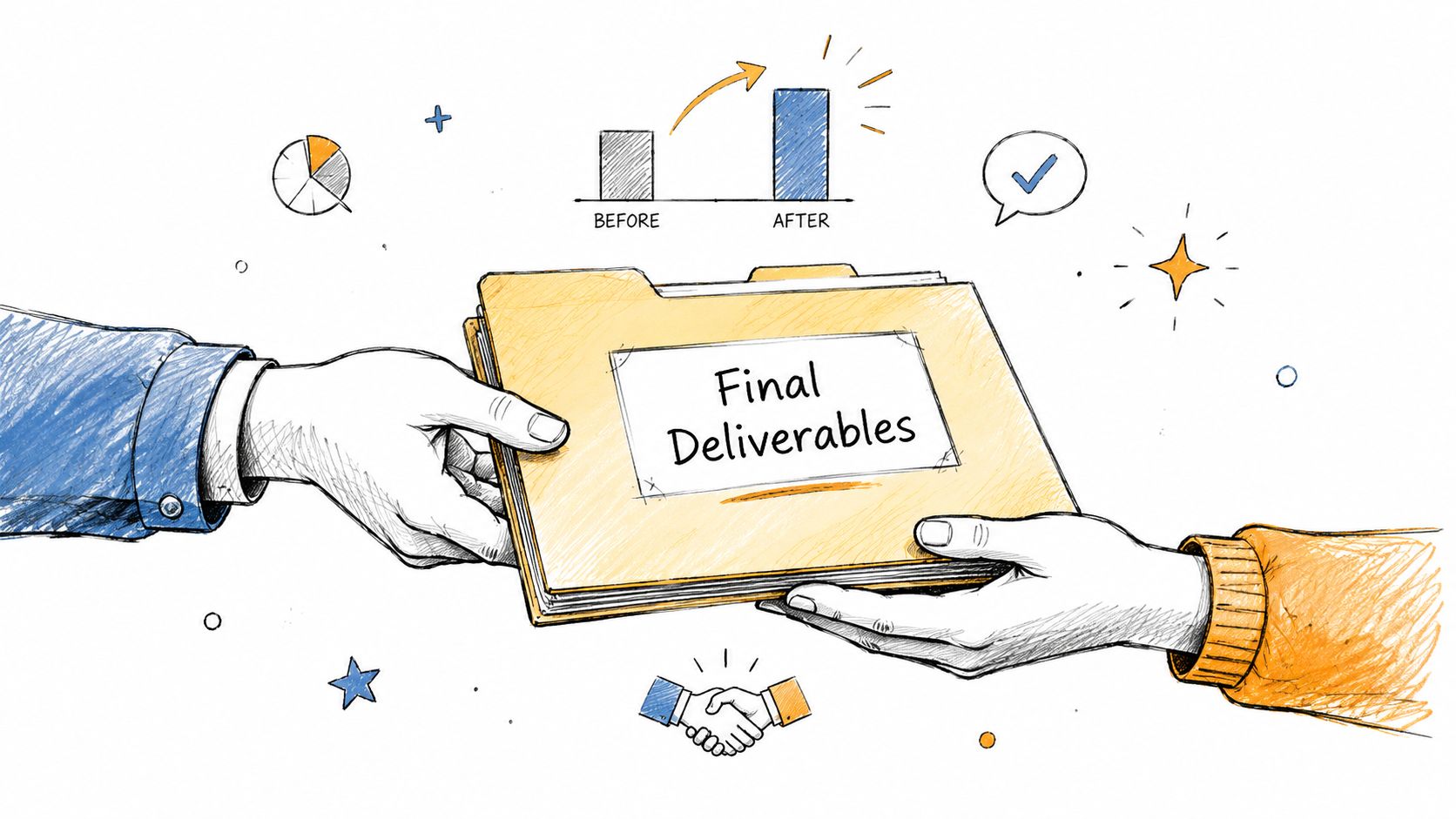
Close the loop without closing the door
Include the final deliverables, explain how to use them, and offer a short support window so the client doesn't feel abandoned on day one of implementation. If you can quantify impact from the engagement, do it in plain terms and only if it's grounded in the actual work, because credibility matters most at this stage. Ask for a testimonial in a low-friction way, such as a short text reply or a simple video prompt, rather than an open-ended favor.
A useful pattern is to mention the partnership in operational terms. Say what the client can expect next, who owns the transition, and how ongoing support works. That leaves the door open for future projects without forcing a sales conversation into a delivery email.
This is also the cleanest bridge into referrals. Once the handoff is done well, the client is more likely to think of your firm as part of their trusted network rather than as a one-time vendor.
8. Ongoing Value and Referral Partner Email Cadence
After delivery, the relationship shouldn't go silent. A regular cadence of useful emails keeps your firm present without becoming intrusive, and it gives you a natural path to referrals later. For consulting and advisory firms, alumni clients, former project sponsors, and past stakeholders can stay warm over time.
The cadence works best when it's segmented by industry, company size, or engagement type. Management consulting clients don't need the same content as executive search contacts or fractional CFO clients. Some months should be content-heavy, with insights or regulatory updates, and other months should be relational, with a simple check-in or a team spotlight.
Make the ask indirect and useful
Referral nurturing works better when the benefit is clear and the tone is light. Instead of pushing for introductions, invite the client to stay in a community of advisory-minded leaders, share insights, or react to a market development. That keeps the relationship value-first and avoids the sense that every message is a sales pitch.
Track engagement over time and clean up the list when contacts go inactive for too long. The point is not to blast a large database, it's to keep a smaller audience connected. For Starward Navigators users, the internal referral tracking workflow is a natural complement to this cadence, because it ties post-engagement outreach to a system that can measure follow-through.
The best referral emails feel like a continuation of good service, not a separate campaign.
If you occasionally include an employee spotlight or team note, the relationship stays human. That small detail matters more than most firms realize, because referrals usually come from trust, and trust is easier to preserve when the communication still sounds like a person wrote it.
8-Point Client Onboarding Email Template Comparison
| Template | Implementation Complexity 🔄 | Resource Requirements ⚡ | Expected Outcomes 📊 | Ideal Use Cases 💡 | Key Advantages ⭐ |
|---|---|---|---|---|---|
| Welcome & Account Setup Email | Low, templated automation with personalization | Low, CRM fields, assigned account owner | Faster onboarding; fewer support tickets | New contracts; SaaS subscriptions; professional services | Sets tone quickly; clarifies ownership; easily automated |
| Discovery Kickoff & Information Gathering Email | Medium, form design + follow-up workflows | Medium, discovery form, review owner, integrations | More efficient kickoff; reduced scope creep | Consulting engagements requiring client data upfront | Maximizes meeting value; surfaces red flags early |
| Kickoff Meeting Confirmation & Agenda Email | Low–Medium, calendar/attendee coordination | Low, calendar invite, attendee bios, agenda file | Fewer no-shows; better-prepared stakeholders | Scheduled kickoff meetings with multiple attendees | Improves attendance; clarifies meeting structure |
| Post-Kickoff Summary & Next Steps Email | Medium, rapid turnaround and accurate notes | Medium, meeting notes, task creation, recording links | Alignment on decisions; documented action items | After kickoff to lock in agreements and owners | Creates paper trail; prevents misunderstandings |
| First Delivery Milestone Update Email | Medium, milestone tracking + visual assets | Medium, deliverable artifacts, dashboards/previews | Early proof of value; continued engagement | First 30-day deliverables; sprint completions | Demonstrates impact early; sustains momentum |
| Mid-Engagement Check-In & Adjustment Email | Low–Medium, short survey + escalation paths | Low, pulse survey, account owner follow-up | Early issue detection; opportunity to correct course | Midpoint of longer engagements (30–45 days) | Detects dissatisfaction early; shows client-centricity |
| Final Deliverable Handoff & Transition Email | Medium, compile results, transition plan | Medium–High, ROI data, training materials, docs | Clear closure; ROI visibility; referral potential | Engagement completion; handoff to operations | Reinforces value; opens future business/referrals |
| Ongoing Value & Referral Partner Email Cadence | Medium, sustained content cadence & segmentation | Medium–High, content creation, audience segmentation | Long-term engagement; referral generation | Post-engagement nurture and relationship building | Keeps firm top-of-mind; scalable referral pipeline |
Build the Onboarding Sequence Behind the Templates
The eight templates work best when they're assembled into a defined operating sequence, not managed as one-off messages. Start by assigning the trigger for each email, the owner who sends or approves it, and the action the client is supposed to take next. If a message has no owner and no follow-up rule, it'll eventually get skipped.
Personalization should stay practical. Reference the engagement scope, the client's responsibilities, and the specific outcome they care about. Don't overload the first email with background that belongs in a checklist or shared workspace. Keep each message focused on one next action, because attention drops fast when a client sees multiple asks with no clear order.
Set reminders for incomplete tasks, especially the intake form, kickoff confirmation, and any client-side approvals. Then review the handoff data before moving the relationship forward, so the next stage starts from facts instead of assumptions. That review step is where a lot of firms lose time, because someone sends the next email before the last one has been completed.
For consulting and advisory teams, automation earns its keep here. Starward Navigators can connect Won-stage updates, kickoff scheduling, delivery milestones, client handoffs, and referral nurture in one system, which gives small firms a cleaner path from first commitment to repeat business. That doesn't replace judgment, it reduces the manual follow-up that usually breaks the sequence.
If you're building a client onboarding email template library for a consulting or advisory practice, start with the lifecycle above and map each email to a real workflow trigger. Then test the sequence on one service line, tighten the handoffs, and only expand once the timing, ownership, and client response path are working.
If you're ready to turn onboarding emails into a repeatable client workflow, Starward Navigators can help you connect the Won stage, kickoff scheduling, delivery handoffs, and referral follow-up in one operating system. Visit Starward Navigators to see how it supports consulting and advisory client operations from first commitment to repeat business.