Confirmation emails get far more attention than most promotional messages because the recipient has just taken an action and wants reassurance. Industry guidance places average email open rates across most industries at 15%–25%, while one 2025 benchmark reported a 62.47% average open rate for transactional shipping confirmations, as documented by ActiveCampaign's confirmation email guidance. The lesson for consulting firms is straightforward: a confirmation email isn't a receipt. It's a workflow checkpoint that can reduce uncertainty, preserve momentum, and move a prospect toward the next commercial decision.
The eight templates below follow the full consulting acquisition lifecycle, from the first inquiry and event registration through appointments, proposals, negotiation, onboarding, and referrals. Each one is designed around five questions: What triggered the message? What does the recipient expect to see? What should happen next? Does the subject line make the action obvious? Which person or workflow owns the follow-up?
Table of Contents
- 1. Discovery Call Confirmation Email
- 2. Lead Capture Form Submission Confirmation Email
- 3. Event or Webinar Registration Confirmation Email
- 4. Appointment Reminder Confirmation Email
- 5. Proposal Delivery Confirmation Email
- 6. Proposal Alternative or Counter-Offer Confirmation Email
- 7. Client Onboarding Kickoff Confirmation Email
- 8. Referral Thank You and Confirmation Email
- 8 Confirmation Email Templates Comparison
- Turn Every Confirmation Into the Next Clear Step
1. Discovery Call Confirmation Email
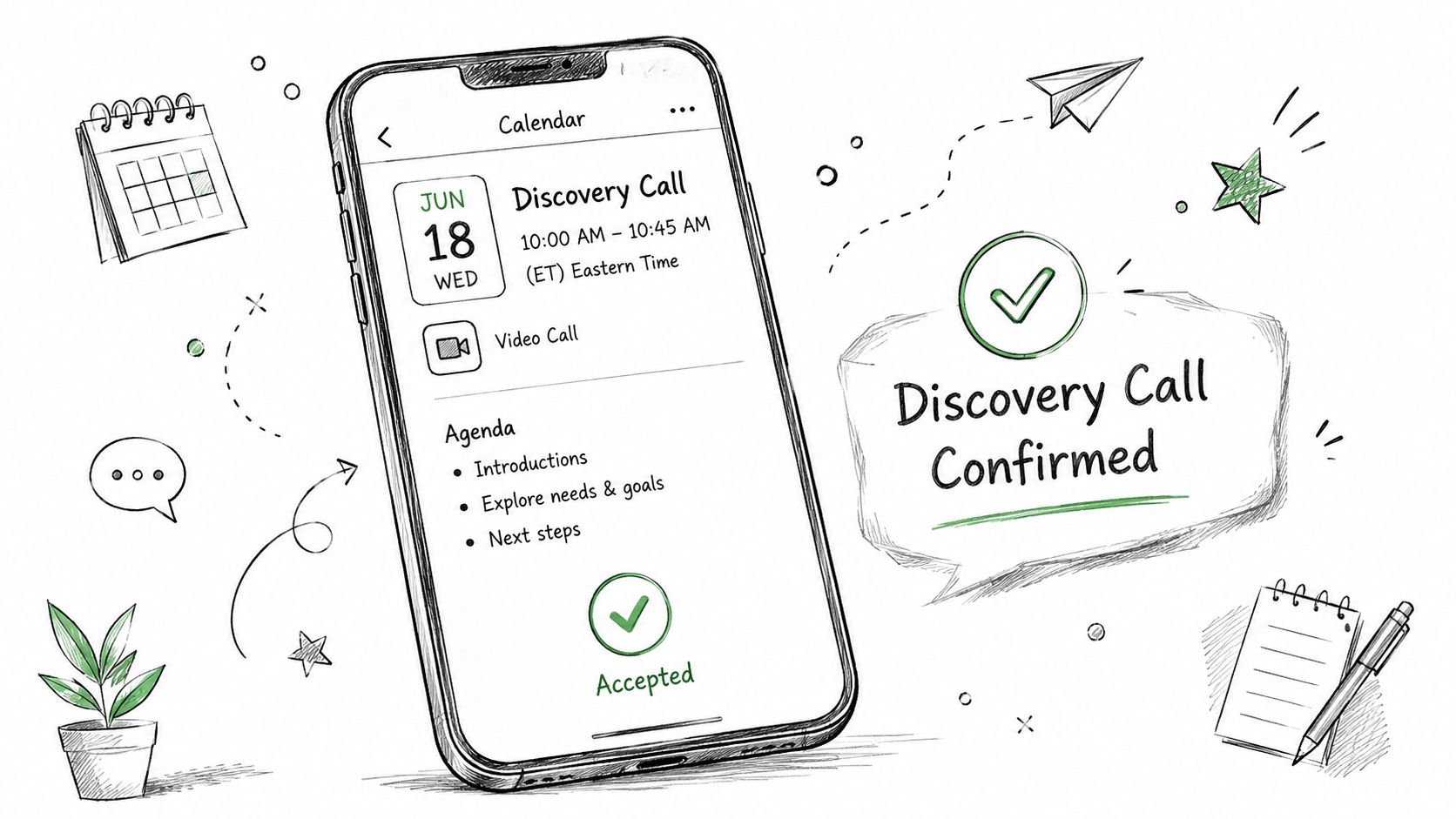
A prospect books a discovery call, receives a generic calendar notification, and then hears nothing else from the firm. That gap creates avoidable uncertainty. A stronger confirmation arrives immediately, confirms the appointment in plain language, and turns the scheduled conversation into a prepared business interaction.
Use a subject line such as “Your discovery call with [Consultant Name] is confirmed” or “Confirmed, [Company] strategy conversation on [Date]”. Put the date, time, automatically converted timezone, meeting link, phone alternative, and consultant's name near the top. If the prospect booked through Calendly or another scheduling system, the confirmation should inherit the scheduling record rather than ask the prospect to re-enter information.
The body should also preview the conversation. Mention two or three questions the consultant will explore, such as the business challenge, the desired outcome, and the current decision timeline. A brief value statement can make the call feel purposeful, for example, “We'll discuss how firms in your sector are approaching [challenge].” A relevant one-page overview or case study can help the prospect arrive with useful context, but don't turn the confirmation into a brochure.
Practical rule: Confirm the appointment first. Add preparation material second. The prospect should be able to find the meeting details without reading the entire message.
A boutique management consultancy might use this format for a C-suite strategy session. A fractional CFO network could adapt it for a financial advisory discovery call, while an executive search consultancy could frame the agenda around role requirements and hiring priorities. The workflow should mark the meeting as booked, notify the assigned owner, and create a reminder sequence. If the prospect reschedules, the original confirmation must be replaced or clearly updated so two competing calendar records don't remain active.
2. Lead Capture Form Submission Confirmation Email
A form submission is the first explicit signal that a visitor wants a conversation, a resource, or more information. The confirmation should acknowledge the exact inquiry, explain what happens next, and make the firm feel reachable rather than automated.
Use a subject line such as “We received your [Service Area] inquiry” or “Thanks, [Name]. We'll follow up about [Challenge]”. Mention the service area selected on the form, whether that's financial strategy, board governance, succession planning, or organizational effectiveness. Name the consultant or team responsible for the follow-up. That small detail gives the prospect a person to associate with the firm and helps prevent the message from feeling like a ticket number.
If the firm offers a calendar link, place it prominently. Some prospects will prefer to book immediately, while others will want a response first. Include a relevant short resource, a direct email address, and a phone number. The tone should be warm and consultative, not promotional. A visitor who submitted a brief inquiry shouldn't receive a crowded sales sequence before anyone has understood the situation.
Teams improving their broader lead generation for email marketing should connect the form to a routing workflow rather than treating the confirmation as an isolated message.
Timing and workflow handoff
Send the confirmation as soon as the form is accepted. For a short inquiry form, the message should feel nearly immediate. The internal workflow should capture the source, assign an owner, record the selected service, and create a follow-up task. If the form contains a high-intent request, such as “schedule a consultation,” route it differently from a general newsletter or resource request.
A fractional CFO firm might write, “We received your request about growth-stage financial planning. [Consultant Name] will review the details and follow up with suggested next steps.” An advisory firm handling succession planning inquiries could link to a focused guide instead of a general services page. The confirmation succeeds when the prospect knows what was received, who owns it, and what they can do now.
3. Event or Webinar Registration Confirmation Email
An event registration confirmation has two jobs. It must secure the practical details, and it should begin the relationship before the webinar, workshop, roundtable, or networking event starts.
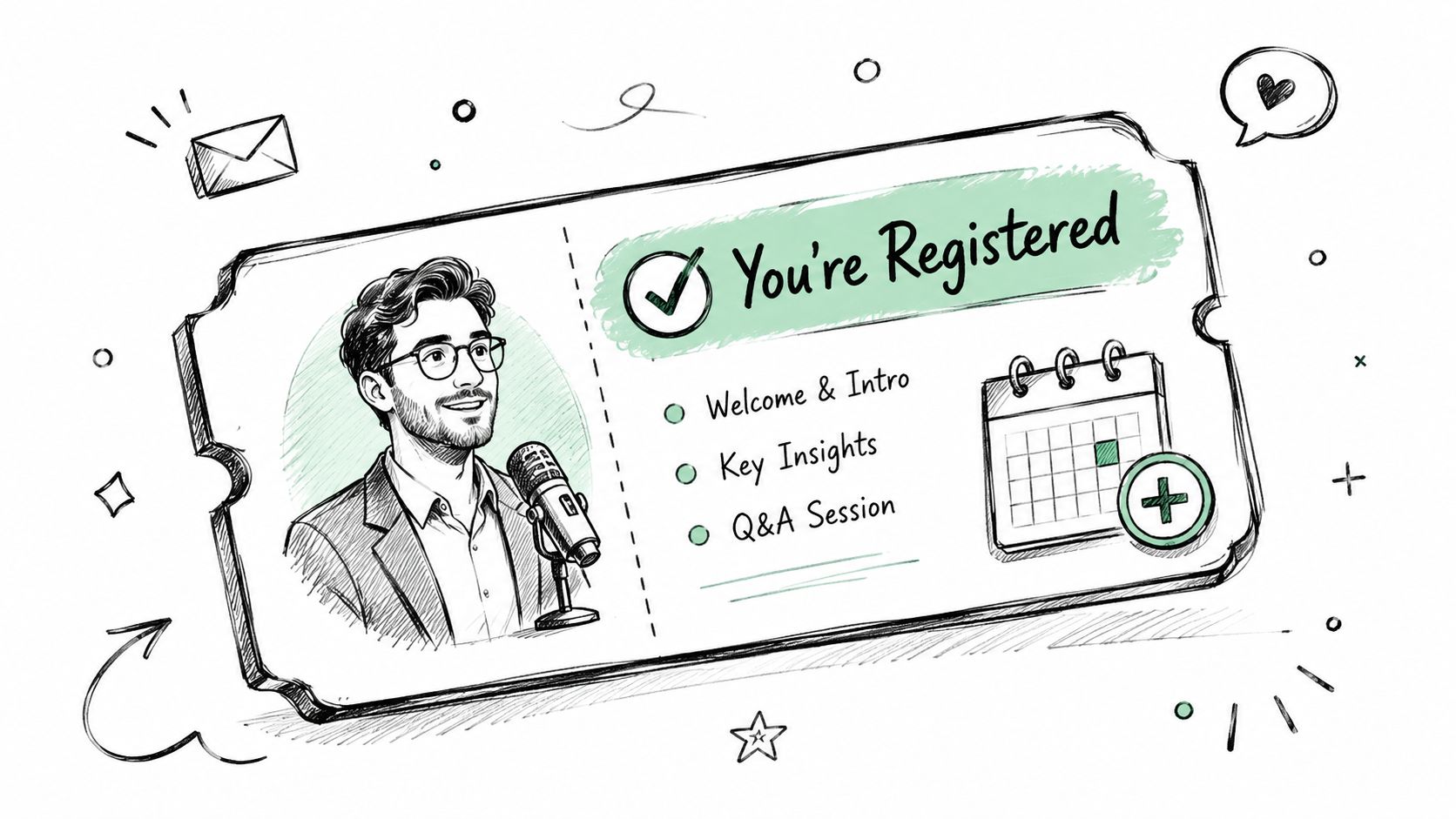
Make the subject line unmistakable: “Registration confirmed, [Event Name] on [Date]”. The opening should display the date, time, timezone, venue or meeting link, and a calendar-add option. For a virtual event, include the primary video link and a phone dial-in. For an in-person gathering, provide the address, arrival guidance, and any access instructions.
Personalization can go beyond the registrant's first name. Include the company, role, or industry when that information is available. A strategy consultancy hosting a market consolidation webinar might tell a registrant which segment the discussion will emphasize. A financial planning workshop could explain what attendees should prepare, such as recent financial statements. A restructuring roundtable could ask participants to consider their most pressing organizational challenges before joining.
Use the confirmation to establish expectations without overloading the message. Speaker photos and short bios can build familiarity. A note about participant profiles or group size helps attendees understand whether the event will be presentation-led or discussion-heavy. Explain the takeaway in concrete terms, such as a diagnostic tool, decision framework, or discussion guide.
Event confirmations should answer three questions immediately: “Did my registration work?” “Where do I go?” and “What will I gain?”
Reminder design
For a multi-day event, send a reminder confirmation 48 hours before the event begins. That reminder can repeat the joining details, preparation request, networking options, and recording policy. Include a clear “Can't attend?” path so the registrant can change plans without abandoning the relationship. The automation should update attendance status, notify the event owner, and place non-attendees into an appropriate follow-up sequence.
The message shouldn't read like a sales pitch. Thought leadership works better when the firm demonstrates preparation, relevance, and respect for the attendee's time.
4. Appointment Reminder Confirmation Email
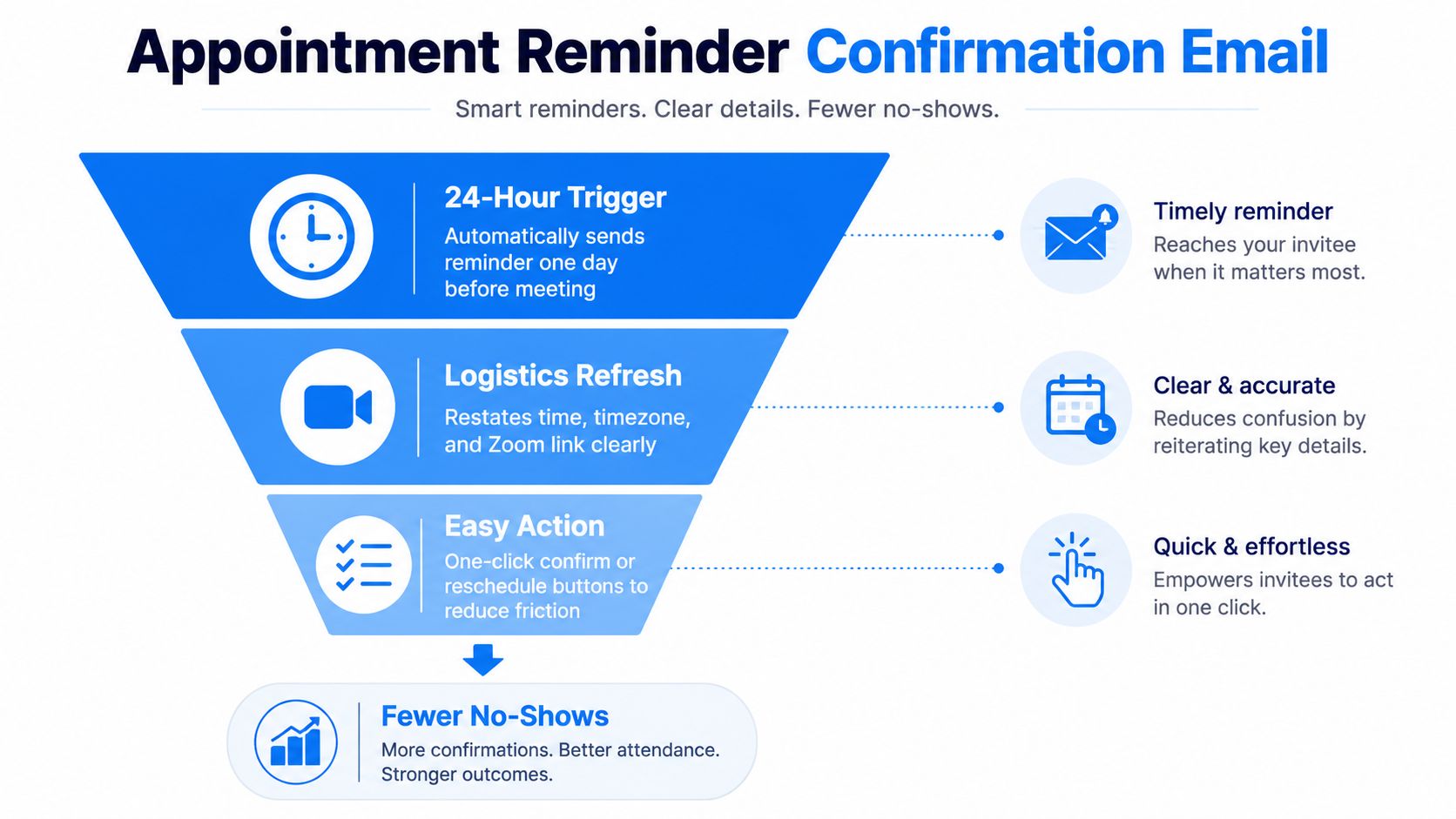
A reminder should make attendance easy, not force the recipient to search through an old thread. Send it before a discovery call, proposal review, kickoff conversation, or board advisory meeting, and put the critical details in the first screen of the email.
A useful subject line is “Tomorrow, your meeting with [Consultant Name]”. Repeat the date, time, timezone, meeting link, and dial-in number. International consulting teams should always show the timezone explicitly. The recipient may have booked from one location and attend from another, and a familiar calendar invite won't eliminate every possible scheduling error.
The reminder can also deliver last-minute value. Link to a relevant industry article, attach a short agenda, or add a personal note from the consultant: “I'm looking forward to discussing the operating model questions you raised.” Keep the tone friendlier than the original booking confirmation. The message should feel like a useful nudge from a professional, not an automated warning.
A practical reminder structure
Use a short agenda when the meeting purpose isn't already obvious:
- Introductions: Establish who's joining and why.
- Discussion: Explore the business challenge and desired outcome.
- Next steps: Confirm the decision, information, or meeting that follows.
Give the recipient a one-click reschedule option that opens the booking calendar. Don't hide cancellation instructions in a footer. Appointment confirmations are operational messages, and independent scheduling guidance recommends concise details, personalization, a clear contact path, and reminders 24–48 hours before the meeting, as explained by Koalendar's appointment confirmation template guidance.
For attendance-focused workflows, email may need support from another channel. A 2026 appointment-statistics roundup reports that confirmation messages reduce no-shows by 38%–50%, while SMS confirmations reach a 98% open rate compared with about 20% for email confirmations, according to SchedulingKit's appointment confirmation statistics. Use those figures as a planning signal, not as a reason to send redundant messages to everyone. Match channel and frequency to the meeting's value, the prospect's consent, and the firm's communication norms.
5. Proposal Delivery Confirmation Email
Sending a proposal without confirming what happens next creates the proposal-to-decision gap. The prospect may receive the document, forward it internally, and pause while the consulting team waits without an agreed milestone. A delivery confirmation turns the document into a managed commercial step.
Use a direct subject line such as “Proposal for [Engagement Name] is ready”. State that the proposal has been delivered, identify the engagement, and link to the document or secure proposal room. Summarize the structure briefly, perhaps with the objectives, scope, timeline, and immediate decision point. Don't repeat every page in the email.
The most persuasive personalization comes from discovery. Mention one or two insights that shaped the recommendation: the operating constraint the client described, the growth priority that affected the scope, or the stakeholder concern reflected in the workplan. That demonstrates listening without making unsupported claims about results.
A proposal confirmation should create a decision path, not merely prove that an attachment was sent.
Offer a short review call within the firm's normal sales process. Use a soft decision timeline, such as “If this direction works for your team, we'd welcome your feedback by [Date] so we can protect the proposed start window.” The timeline should describe the operational consequence, not pressure the buyer with an artificial ultimatum. Include one clear action, either “Schedule a proposal review” or “Reply with approval or requested changes.”
For larger proposals, provide a table of contents and page references so stakeholders can move through sections quickly. Internally, delivery confirmation should update the opportunity stage, notify the owner, record the delivery date, and start proposal follow-up. Stripo's confirmation template guidance emphasizes explicit subject lines, immediate action details, next steps, and a visible reschedule path. The same principle applies here, with the next decision replacing the meeting logistics.
6. Proposal Alternative or Counter-Offer Confirmation Email
Negotiation emails fail when the parties remember different versions of the deal. A counter-offer confirmation should create a shared record of what changed, what remains unchanged, and when the next decision must happen.
Open with acknowledgment rather than defensiveness. A subject line such as “Confirming requested changes to [Engagement Name]” keeps the message neutral. Start by recognizing the client's concern, whether it involves budget, timing, scope, phasing, or internal capacity. Then separate the requested changes from the firm's response.
Numbered formatting works well:
- Requested scope change: Describe the requested adjustment.
- Firm response: Confirm what can change and what cannot.
- Trade-off: Explain how the change affects deliverables, team involvement, or timing.
- Next decision: State what the client needs to approve or clarify.
Never promise a revised proposal without documenting the preliminary direction. A fractional CFO firm might confirm a reduced service level and explain which reporting cadence would change. A strategy consultancy could offer phased research instead of accepting a compressed timeline that would compromise the work. If a minimum team structure is necessary, explain the delivery reason plainly and propose an alternative rather than issuing a flat rejection.
Define the deadline precisely
“Decision deadline” can mean two different things. It might be the date the client must approve the revised terms, or the date the consulting firm needs the client's input to prepare the revision. Name the one that applies.
Offer a call when the trade-offs are difficult to explain in writing. Email is useful for the record, but prolonged negotiation by email can create ambiguity and slow a decision. The workflow should retain the original proposal, attach the counter-offer, assign an owner, and create a shorter follow-up window for the revised terms. The confirmation is successful when both sides can point to the same commercial version before work begins.
7. Client Onboarding Kickoff Confirmation Email
A signed agreement doesn't complete the sale. The client still needs to feel the transition from business development to delivery, and the consulting team needs a reliable handoff that preserves what was learned during discovery.
Use a warm subject line such as “Welcome to [Firm], your [Engagement Name] kickoff”. Open by acknowledging the client's decision and expressing enthusiasm for the work. Then confirm the engagement start date, introduce the delivery lead and other key team members, and offer two or three kickoff meeting options. Photos and short bios can make the new team familiar before the first call.
Keep the main email to three or four paragraphs. Put the detailed agenda, timeline, team biographies, and logistics documents in attachments or linked resources. Tell the client exactly what to prepare, such as a stakeholder list, organizational chart, current processes, financial materials, or existing research. Preparation requests should connect to the first phase of work, not become a generic document dump.
Mention one discovery insight that will shape the engagement. That detail reassures the client that the delivery team has inherited context rather than starting from a blank file. Include an escalation path with the delivery lead's name and direct email. The client should know whom to contact when a question doesn't fit the original sales conversation.
Use Starward's client onboarding template as a starting point for standardizing the handoff. In an operating system, the won opportunity should update automatically, start the delivery pipeline, notify the assigned owner, and trigger kickoff scheduling.
The client's experience of competence begins before the kickoff call. A clean handoff protects trust, reduces rework, and gives the delivery team a complete view of the promises made during acquisition.
8. Referral Thank You and Confirmation Email
Referrals deserve a different confirmation style because the recipient isn't the buyer in the immediate transaction. They're a relationship partner who has put their reputation behind an introduction. The email should confirm receipt, express specific gratitude, and protect the referred prospect's confidentiality.
Send it promptly, within 48 hours of receiving the referral, as recommended in the implementation guidance for referral workflows. A suitable subject line is “Thank you for introducing us to [Prospect Name]”. Mention the person referred and the relevant topic, but don't disclose sensitive details unless the prospect has authorized that information to be shared.
A boutique consulting firm might thank a past client for an executive introduction. An advisory firm could acknowledge an accountant or lawyer who referred a business owner. A fractional executive network might recognize a portfolio company CEO for connecting the firm with another leadership team. In each case, the message should sound personal enough to reflect the relationship.
Keep the relationship active
Confirm whether the firm has made contact, if sharing that status is appropriate. You might write, “We've connected with [Prospect Name] and appreciated the introduction,” without revealing private business information. Ask permission before providing more detailed feedback.
The referral thank-you can include a subtle future invitation: “We'd be glad to meet others facing similar growth and operating questions.” Avoid turning gratitude into an immediate demand for more leads. For important partners, suggest a coffee or short call to catch up and learn about their own advisory needs. A tiered referral workflow can vary the message for past clients, professional partners, and strategic referrers.
Track the referral source, relationship stage, contact status, thank-you date, and next nurture action. Starward's referral tracking guidance supports the operational discipline behind that process. The confirmation should leave the referrer feeling respected, informed, and comfortable making another introduction.
8 Confirmation Email Templates Comparison
| Template | 🔄 Implementation complexity | ⚡ Resource requirements | ⭐ 📊 Expected outcomes | Ideal use cases | 💡 Key advantages & tips |
|---|---|---|---|---|---|
| Discovery Call Confirmation Email | 🔄 Medium, booking trigger, calendar (.ics), agenda, internal alert | ⚡ Low–Medium: scheduling integration, template, BD owner notification | ⭐⭐⭐⭐ · 📊 Reduces no‑shows ~20–30%; speeds qualification | Confirming C‑suite discovery calls, fractional CFO intro, exec search screens | 💡 Send within 2 min; include 2–3 prep questions and a short value statement |
| Lead Capture Form Submission Confirmation Email | 🔄 Low, form trigger + autoresponder and CRM routing | ⚡ Low: form, autoresponder, basic CRM assignment | ⭐⭐⭐ · 📊 Immediate response increases engagement; sets follow‑up expectations | Website/landing‑page inquiries and lead capture forms | 💡 Personalize by inquiry topic, name follow‑up owner, include resource or calendars |
| Event or Webinar Registration Confirmation Email | 🔄 Medium–High, registration, agenda, speaker bios, pre‑work + nurture sequence | ⚡ Medium: event platform, content assets, automated campaigns | ⭐⭐⭐⭐ · 📊 Boosts attendance and thought‑leadership; pre‑event engagement rises | Webinars, workshops, round‑tables for thought leadership | 💡 Include bios, pre‑event work, calendar add, multiple join options |
| Appointment Reminder Confirmation Email | 🔄 Low–Medium, scheduled 24h/2h triggers, confirm/reschedule actions | ⚡ Low: scheduling system, reminder templates, join details | ⭐⭐⭐⭐⭐ · 📊 Reduces no‑shows 25–40%; improves day‑of attendance | Discovery calls, proposal reviews, important meetings | 💡 Offer one‑click confirm/reschedule, reconfirm timezone, add last‑minute value |
| Proposal Delivery Confirmation Email | 🔄 Medium, proposal send trigger, summary, tracking and follow‑up workflow | ⚡ Medium: proposal system, tracking, summary template | ⭐⭐⭐⭐ · 📊 Clarifies scope/timeline and shortens proposal‑to‑decision gap | Delivery of consulting/advisory proposals and scope documents | 💡 Highlight key deliverables, set soft decision timeline, offer 48h Q&A call |
| Proposal Alternative / Counter‑Offer Confirmation Email | 🔄 Medium–High, negotiation tracking, itemized change log, revised timelines | ⚡ Medium: CRM negotiation flags, ownership, revised proposal workflow | ⭐⭐⭐ · 📊 Documents negotiation points and keeps process moving but may extend cycle | When prospects request scope/price/timeline changes | 💡 Itemize changes numerically, propose compromises, set a shorter decision deadline |
| Client Onboarding Kickoff Confirmation Email | 🔄 High, won‑stage trigger, team intro, onboarding schedule, kickoff scheduling | ⚡ High: onboarding docs, delivery team coordination, automation | ⭐⭐⭐⭐⭐ · 📊 Preserves momentum, reduces handoff friction, improves delivery readiness | Transition from sales to delivery for won engagements | 💡 Use warm tone, include team photos, list client prep, offer 2–3 kickoff slots |
| Referral Thank You and Confirmation Email | 🔄 Low, referral log trigger (manual or automatic), status update to referrer | ⚡ Low: CRM referral logging, thank‑you template, optional token/gift | ⭐⭐⭐⭐ · 📊 Reinforces referrals, keeps partners engaged and informed | Acknowledging client/partner referrals and tracking partner relationships | 💡 Send within 48h, personalize the referrer and referred person, offer reciprocal value |
Turn Every Confirmation Into the Next Clear Step
The best confirmation email templates don't operate as isolated pieces of copy. They form a connected sequence across the acquisition lifecycle. A form submission should create a lead record and an owner. A booked discovery call should trigger logistics, preparation, and reminders. A proposal delivery should start accountable follow-up. A negotiated revision should preserve the current terms. A signed engagement should launch delivery, and a referral should enter a relationship nurture process.
Implementation starts with the trigger. List the client actions that deserve a confirmation, including inquiry submission, appointment booking, event registration, proposal delivery, requested revision, contract completion, onboarding, and referral receipt. For each trigger, assign the message owner, the sending channel, and the internal stage update. Don't automate a message until someone knows what the business should do when the recipient replies.
Timing should reflect the recipient's expectation. Inquiry and booking confirmations should arrive immediately. Event reminders belong in a planned pre-event sequence. Appointment reminders should repeat the details close enough to be useful while still offering a simple reschedule route. Proposal and negotiation confirmations need a decision milestone. Onboarding messages should follow the commercial handoff while the client still has confidence and momentum.
Personalization should use known context, not decorative tokens. Include the selected service, prospect company, consultant name, meeting purpose, discovery insight, proposal change, or referral connection. A subject line such as “Your meeting is confirmed” is functional, but “Your strategy review with [Consultant Name] is confirmed for [Date]” gives the recipient a faster answer. Keep the first action singular. Ask the prospect to schedule, approve, provide input, prepare documents, or contact the right owner, but don't compete with five unrelated calls to action.
Accessibility and deliverability deserve the same attention as copy. Guidance for accessible HTML email templates recommends readable font sizes, strong contrast, semantic structure, alt text, responsive layouts, and content that remains understandable without images, as detailed in Knak's accessibility and compliance guidance. Test confirmations on mobile clients, in dark mode, and with assistive technologies. A premium consulting experience shouldn't depend on a recipient seeing one specific layout.
These eight templates support different commercial moments:
- Lead capture: Confirm receipt, route ownership, and set expectations.
- Appointments: Protect attendance with clear logistics and rescheduling.
- Events: Confirm access while building informed participation.
- Proposals: Establish receipt, relevance, and a decision milestone.
- Negotiation: Document changes and surface trade-offs.
- Onboarding: Move the client from sales into delivery without losing context.
- Referrals: Thank the relationship owner while respecting confidentiality.
Starward Navigators is designed for firms that want these handoffs standardized rather than rebuilt manually in separate tools. Its prebuilt Business Development, Client Delivery, and Relationships & Referrals pipelines connect lead capture, appointment confirmations, proposal follow-up, onboarding notifications, and referral nurture. The Map, Install, Go Live process is built for small consulting and advisory firms that need a working acquisition operating system, not a blank CRM that requires months of configuration.
Start by choosing one broken handoff, usually an inquiry response, discovery call reminder, or quiet proposal. Write the confirmation around the recipient's next decision, connect it to an owner, and then expand the same logic across the lifecycle. Consistency compounds when every message tells the client what happened, what matters now, and who will help them move forward.
Starward Navigators provides prebuilt pipelines, automated confirmations and reminders, proposal follow-up, client onboarding handoffs, and referral nurture for consulting and advisory firms. Visit Starward Navigators to see how you can turn confirmation emails into a standardized acquisition operating system.