A proposal tracker template doesn't prevent lost proposals just because it has a status column. “Sent,” “Negotiation,” and “Won” describe what happened, but they don't tell anyone who acts next, when that action is due, what buyer behavior should trigger it, or how the opportunity moves into delivery. The strongest trackers connect proposal details to an accountable owner, a dated next step, a meaningful stage, and a reminder or automation trigger.
That distinction matters because follow-up is where proposal momentum often disappears. Industry summaries report that 80% of deals require five or more follow-ups, while only 2% close on the first contact and 35% close after one follow-up (SendProp's proposal statistics summary). This comparison evaluates seven options as follow-up systems, not simple proposal lists. The lens is practical: fields, status design, ownership, proposal aging, buyer engagement, automation potential, visibility, setup effort, and the handoff from decision to delivery.
Table of Contents
- How to evaluate a proposal tracker template
- 1. Starward Navigators
- 2. Notion Proposal Tracker Template
- 3. PandaDoc Proposal Templates With Real-Time Tracking
- 4. Proposify Proposal Templates and Tracking
- 5. ClickUp RFP and Proposal Process Template
- 6. monday.com Proposal and Quote Management Templates
- 7. Finite Field Sales Proposal Follow-Up Tracker
- Proposal Tracker Template, 7-Tool Comparison
- Turn the Template Into a Follow-Up System
How to evaluate a proposal tracker template
A useful tracker answers five questions for every active proposal. What was sent, who owns the opportunity, what stage is it in, what action happens next, and when must that action occur? If a template can't answer those questions without relying on a separate inbox or memory, it's an administrative register rather than an operating system.
The minimum record should include the client, proposal link, send date, proposal owner, decision stakeholders, current stage, last activity, next action, next-action date, and outcome notes. Add proposal aging so the team can identify opportunities that have been quiet too long. For consulting firms, include the intended service, estimated start timing, delivery owner, and handoff status. A proposal doesn't become operationally complete when it's signed. It becomes complete when the right person can start delivery without reconstructing the sales history.
Buyer engagement needs careful handling. Proposal guidance emphasizes that repeated views, section-level attention, and engagement timing are more useful than treating a single open as proof of progress (Proposify's proposal follow-up guidance). A tracker should therefore distinguish “opened” from “engaged,” record the relevant stakeholder, and connect activity to a follow-up decision. It shouldn't encourage teams to celebrate vanity metrics while an unsigned proposal remains ownerless.
Practical rule: Every status change should create either a next action, a reason to pause, or a documented exit.
The best design also uses a defined follow-up window. Guidance for proposal tracking recommends following up within 24 hours of buyer engagement, while an unopened proposal after five business days warrants earlier outreach (Proposify's proposal tracking guidance). Mature sequences often use several touches over roughly two to three weeks before lowering priority or moving to a break-up step. The exact cadence can vary, but the rule must live inside the workflow.
1. Starward Navigators
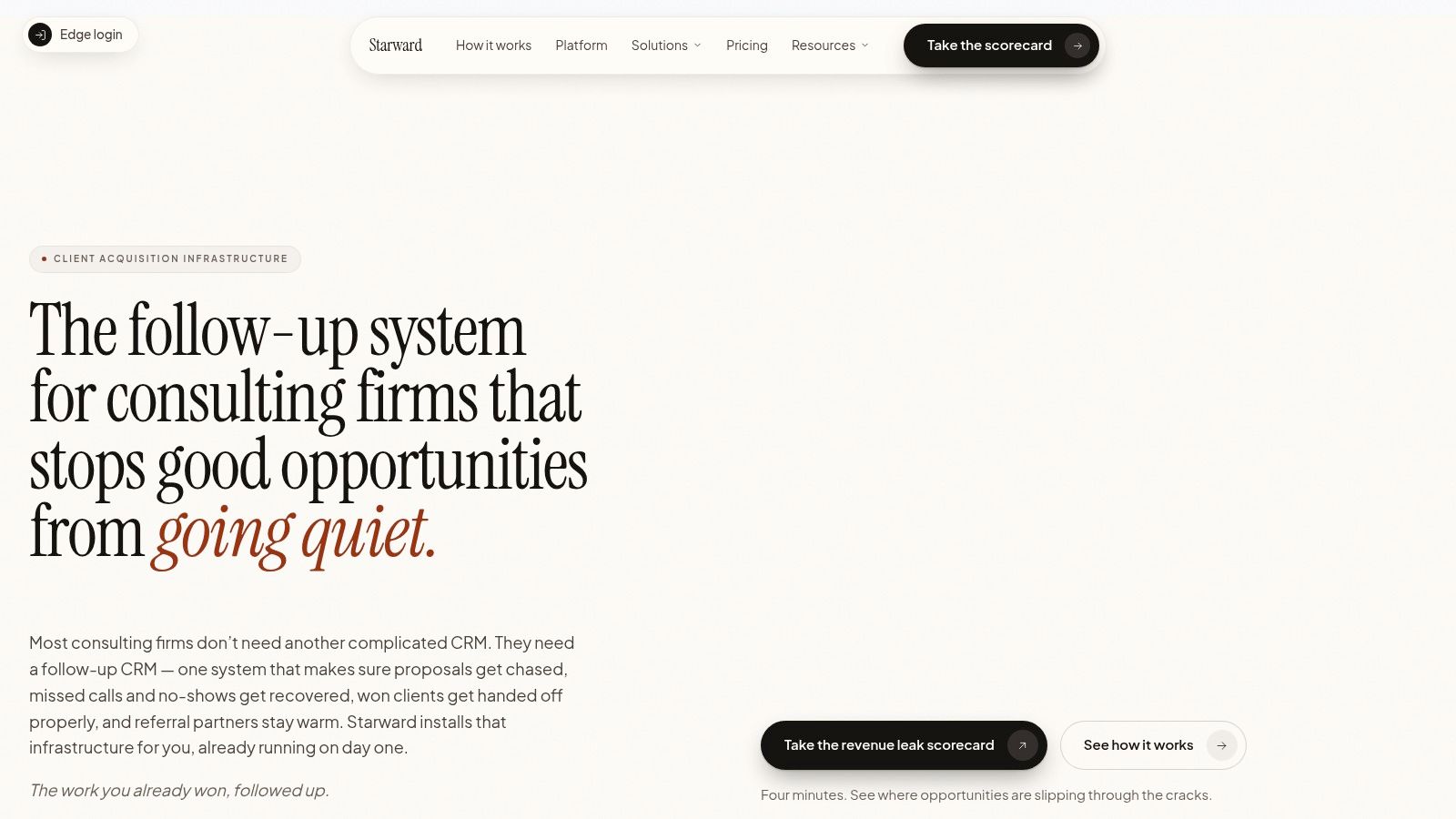
Starward Navigators treats proposal tracking as one part of a client acquisition operating system for small consulting and advisory firms. Instead of handing a firm an empty CRM and asking it to design every stage, the platform provides prebuilt pipelines for Business Development, Client Delivery, and Relationships & Referrals, along with follow-up sequences, appointment automation, proposal tracking, and handoff workflows. Its stated audience includes 2–20 person consultancies, independent advisors, fractional executives, and boutique-firm business development leaders.
The important design choice is enforceable ownership. A proposal can move from discovery complete to proposal sent, then through defined follow-up stages such as day 2, day 5, and day 10, before reaching decision or long-term nurture. Proposal aging alerts and automated email and SMS sequences are intended to prevent a quiet opportunity from remaining in a personal task list. The workflow can also create next-step actions for unopened or unsigned proposals.
Why it fits the proposal-to-delivery gap
Starward's advantage is operational continuity. Lead capture from websites, inboxes, LinkedIn, and events can be routed into one system, while a won opportunity can trigger client handoff, delivery-pipeline kickoff, owner notifications, and kickoff scheduling. That eliminates the common break between “signed” and “ready for delivery,” where teams often re-enter information manually or overlook commitments made during sales.
The platform also includes done-for-you setup, contact import, subscription billing through Starward checkout, and an included Claude AI connection for querying account information in plain language. Advanced Campaigns, Triggers, and Workflows builders are available on Core Plus and above. Pricing starts at $97 per month, with four plans ranging from solo use to unlimited users, according to the supplied product information.
Starward is strongest when the problem isn't finding another place to store proposals. It's making follow-up, ownership, and handoff happen without depending on individual memory.
The trade-off is flexibility. A consultancy seeking a highly bespoke CRM built from the ground up may need custom work beyond the preconfigured consulting workflows. Public pricing also provides a starting price and plan count, but firms may need to confirm exact user, contact, and feature limits for their situation. For firms that want installation rather than another system-building project, the vendor offers done-for-you setup, a 14-day go-live guarantee, and states that most firms go live in approximately two weeks. Explore the Starward Navigators client acquisition platform for the full operating model.
2. Notion Proposal Tracker Template
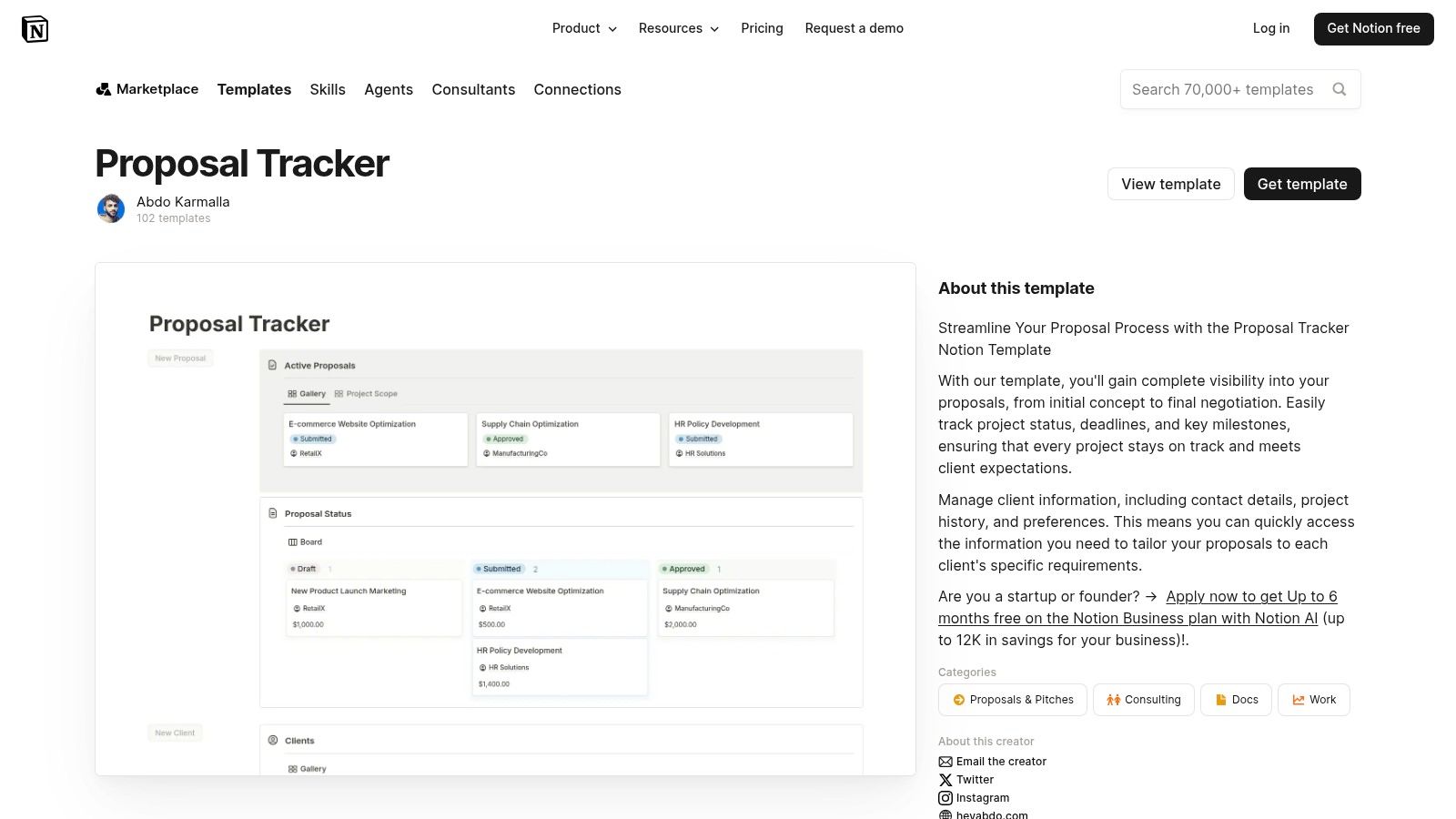
Notion is the most adaptable option for firms that want a lightweight database beside discovery notes, meeting records, and client pages. Its proposal tracker template in Notion can organize proposals through table and board views, with properties for stages, owners, dates, reminders, and linked pages. Each proposal record can hold scope information, files, meeting notes, and the context that normally gets scattered across documents.
That flexibility makes Notion useful during the early design of a sales process. A boutique consultancy can create stages that reflect its own work, such as qualified, discovery scheduled, discovery complete, proposal sent, review, decision, won, lost, and nurture. It can then create views for each owner, upcoming follow-ups, aging proposals, or proposals awaiting internal review. The same workspace can support a delivery handoff page once a deal is won.
Where the lightweight model stops
Notion's weakness is that the team must supply the operating discipline. The database can display a next-action date, but the template alone doesn't guarantee that someone will complete the action. It also lacks native proposal-document analytics such as opens or page views, so the tracker can't independently distinguish a proposal that has been ignored from one that a buyer has revisited.
Automations and cross-tool integrations may require additional tools or configuration. That matters if the team wants engagement-triggered reminders, automatic email sequences, or a handoff that creates delivery work as soon as the status changes. Notion remains a strong choice for a firm that values customization and shared context more than automated chasing.
Notion works best when the team already follows a reliable process. It won't rescue a process that has no owner, service level, or escalation rule.
Use it when the central problem is fragmented information and the firm wants proposals, notes, and client context in one flexible workspace. Choose another option when the central problem is missed follow-up or a need for native buyer activity data.
3. PandaDoc Proposal Templates With Real-Time Tracking
PandaDoc is built around the proposal document itself, which makes it a stronger fit when buyer engagement and signing behavior matter more than flexible pipeline design. Its proposal software combines reusable templates, content blocks, pricing tables, variables, approval workflows, e-signature, and document tracking. A team can standardize the proposal experience while reducing repeated manual entry for client and commercial details.
The tracking layer changes the follow-up question. Instead of seeing only “sent,” the team can inspect opens, views, time on page, completions, and audit activity. That gives the owner more context for choosing the next message, particularly when multiple stakeholders may be reviewing different sections. CRM integrations and related-document linking can connect a proposal to later contract and invoice steps.
Best for engagement-led prioritization
PandaDoc's strongest field set is activity data. A tracker built around it can record the proposal, owner, recipient, status, approval state, signature state, and recent document engagement. That's more actionable than a basic date column because it can help the team prioritize an active buyer over an untouched record.
The limitation is that document engagement isn't the same as a complete acquisition workflow. The team still needs clear definitions for proposal aging, stalled opportunities, decision ownership, and what happens after a win. Advanced functionality may sit on higher tiers, and cost can scale with seats or usage. Teams also need to move from familiar documents or slide tools into PandaDoc's editor and workflow.
For firms that already have a CRM and need better proposal execution, PandaDoc can serve as the document and engagement layer. For a small consultancy that needs prebuilt acquisition stages, automated proposal chasing, and client onboarding triggers in one environment, it may require additional system design. Review the proposal follow-up approach for consulting firms when deciding whether document analytics alone will solve the operational gap.
4. Proposify Proposal Templates and Tracking
Proposify focuses narrowly on creating, presenting, tracking, and signing proposals. Its proposal platform offers a central template library, branded sections and components, client preview controls, signature tracking, permissions, and an activity feed. That focus reduces the time spent formatting each proposal and gives teams a consistent client-facing experience.
Its activity feed is particularly useful for reconstructing what happened after sending. The record can show proposal activity and signature progress, which helps an owner decide whether to follow up, request internal review, or escalate a stalled document. HubSpot and other integrations can connect proposal work to a broader CRM, although the quality of the overall workflow depends on how those integrations are configured.
A dedicated proposal layer, not a complete work OS
Proposify is a good fit for teams that have already chosen their sales stages and need a purpose-built proposal environment. It supports auditability from send through signature and can help enforce brand consistency across repeated consulting offers. Onboarding resources and custom-template services can also help a firm move beyond an empty document.
The boundary is equally clear. Proposify offers fewer general project-management capabilities than a work-management platform, so delivery planning, onboarding tasks, and broader relationship management may remain elsewhere. It doesn't offer a permanent free plan, with use moving from trial to paid tiers. That makes it less attractive for a firm that wants a no-cost tracker or a single flexible workspace.
A dedicated proposal platform improves the document stage. It doesn't automatically define the post-signature handoff.
Choose Proposify when proposal quality, consistent design, activity visibility, and signing control are the main requirements. Add explicit owner, next-action, aging, and delivery-handoff fields in the connected CRM so the proposal doesn't become an isolated island.
5. ClickUp RFP and Proposal Process Template
ClickUp approaches proposal tracking as a sequence of work rather than a document register. Its RFP and proposal process template can organize intake, qualification, drafting, review, submission, and follow-up through tasks, statuses, custom fields, dependencies, comments, documents, and automations. That structure suits firms where several people contribute to a proposal before another team begins delivery.
The useful fields go beyond proposal date and status. Teams can capture proposal value, due dates, stakeholders, owners, and win or loss reasons. Board, list, and timeline views expose the same pipeline from different angles, while dashboards can support internal reporting on pipeline and cycle time. Task dependencies make review and approval steps visible instead of leaving them in email.
Strongest when sales and delivery already share ClickUp
ClickUp's automation potential is practical for handoffs. A status change can prompt a reminder, assign a task, or create downstream work, provided the workspace has been configured with clear rules. That makes it possible to model a consulting process from discovery through decision and then connect the successful proposal to delivery tasks.
The cost of that flexibility is setup. ClickUp doesn't provide native page-level document analytics like dedicated proposal applications, so the team may still need a separate proposal tool to capture opens, time on page, or signing activity. The workspace also requires deliberate configuration if leaders want reliable aging reports, stalled-opportunity views, and consistent win/loss data.
A ClickUp template is a sensible choice when delivery already lives in ClickUp and the firm wants shared visibility across commercial and operational work. It's less suitable when the main requirement is instant, engagement-based proposal chasing. For a cleaner transition from signed proposal to active client work, pair the sales process with a defined client onboarding template.
6. monday.com Proposal and Quote Management Templates
monday.com gives teams a visual board for proposal and quote management, with templates that can be adapted to proposal stages, owners, deadlines, reminders, permissions, and downstream work. Its proposal and quote management templates are most useful for firms already using monday.com for customer relationship management, scheduling, or delivery coordination.
The board model makes ownership easy to see. Each proposal can have a responsible person, a stage, a next follow-up date, and supporting deal information. Automations can notify owners, create reminders, and coordinate due dates. Excel import helps teams bring over an existing tracker rather than starting with an empty board, while multiple views and dashboards can give leadership a shared pipeline picture.
Configurable visibility with reporting work still required
monday.com's advantage is visual adaptability. A consultancy can create separate views for active proposals, overdue actions, proposals by owner, or opportunities ready for delivery. Permissions and integrations can help coordinate sales and delivery teams without forcing everyone to work from the same view.
The limitation is that useful analytics require configuration. A board can show proposal aging, but someone must define the aging logic, dashboard filters, and escalation rules. Buyer engagement data also depends on connected tools, so the board may not tell the owner whether a proposal was opened, revisited, or signed unless the surrounding stack passes that information through.
Seat minimums can affect pricing on some plans, which firms should verify before standardizing the workspace. monday.com is a strong middle ground for teams that want more automation than a spreadsheet and more visual flexibility than a dedicated proposal application. It's less compelling if the firm wants consulting-specific stages and handoffs ready to use without building them.
7. Finite Field Sales Proposal Follow-Up Tracker
Finite Field's Excel workbook is the most direct option in the list. Its sales proposal follow-up tracker is designed to log proposals, responses, scheduled follow-ups, negotiation notes, owners, and dates. Additional tabs for leads, pricing, and sales settings keep related information in the same file.
That simplicity can be a strength. A firm can start with a proposal register containing status, next action, owner, send date, follow-up date, and response notes without adopting a new platform. The workbook is suitable for teams that prefer Microsoft 365, need an offline option, or want to import the structure into Google Sheets. It creates an auditable record of touches, which is already better than relying on individual inbox searches.
The spreadsheet ceiling
Excel can store a disciplined process, but it won't enforce one by itself. Notifications and collaboration depend on the spreadsheet environment, and the workbook doesn't include built-in document analytics or e-signature. A team must manually maintain status, last activity, next action, and aging unless it builds additional formulas or connected automations.
That makes the template a good low-cost starting point, especially for a solo consultant or small team testing a process. It becomes fragile as ownership becomes distributed, proposal volume grows, or the team needs automatic reminders and buyer-activity triggers. The tracker can show that a proposal is overdue, but it may not make the responsible person act.
A spreadsheet is enough when the process is simple and the owner is obvious. It becomes risky when follow-up depends on coordination across people and channels.
Use the workbook to define your fields and cadence before moving to a platform, or keep it as a deliberately small operating system. If manual chasing is already the problem, compare it with follow-up automation for consulting firms rather than adding more columns to the same file.
Proposal Tracker Template, 7-Tool Comparison
| Product | Implementation 🔄 (complexity) | Resource requirements ⚡ (speed/efficiency) | Expected outcomes 📊 (results/impact) | Ideal use cases 💡 (tips) | Key advantages ⭐ (quality) |
|---|---|---|---|---|---|
| Starward Navigators | 🔄 Low, done-for-you installation; prebuilt pipelines (go‑live ~2 weeks) | ⚡ Moderate, paid subscription (from $97/mo); minimal internal setup time | 📊 High, automates follow-ups, reduces proposal-to-decision leakage | 💡 Best for 2–20 person consultancies, independent advisors, BD leads | ⭐ Preconfigured consultancy workflows, follow-up automation, Claude AI query |
| Notion – Proposal Tracker Template | 🔄 Low, ready-made database/dashboard; easy customization | ⚡ Low, lightweight; works in existing Notion workspace | 📊 Moderate, centralizes proposals and notes but limited automation/analytics | 💡 Good for teams wanting proposals alongside docs without a full CRM | ⭐ Flexible, fast-to-adopt, consolidates notes and proposal pages |
| PandaDoc – Proposal Templates with Real-Time Tracking | 🔄 Medium, adopt PandaDoc editor and template workflows | ⚡ Medium–High, paid tiers; CRM integrations recommended | 📊 High, page-level analytics, open/time tracking, prioritize follow-ups | 💡 Ideal when buyer engagement metrics and e-signature are critical | ⭐ Strong document analytics, reusable templates, e-sign built in |
| Proposify – Proposal Templates and Tracking | 🔄 Medium, dedicated proposal platform with onboarding | ⚡ Medium, paid plans (trial → paid); template setup required | 📊 High, granular activity feed from send to sign, good auditability | 💡 Suits teams focused on branded, controlled proposal experiences | ⭐ Template-driven design, signature tracking, role/permission controls |
| ClickUp – RFP/Proposal Process Template | 🔄 Medium, requires workspace configuration and automations | ⚡ Medium, efficient if ClickUp is already in use; automations add speed | 📊 Moderate–High, ties proposals to delivery, dashboards for reporting | 💡 Best for teams managing proposals and delivery in one work OS | ⭐ Flexible fields/views, task automation, pipeline and cycle-time reporting |
| monday.com – Proposal & Quote Management Templates | 🔄 Low–Medium, prebuilt boards; dashboards need extra setup | ⚡ Medium, configurable boards; seat-based pricing can affect speed | 📊 Moderate–High, visual pipeline and leadership visibility with dashboards | 💡 Works well for firms already using monday.com or wanting visual boards | ⭐ Highly configurable boards, automations, integrations for handoffs |
| Finite Field – Sales Proposal Follow-up Tracker (Excel) | 🔄 Low, immediate use as an offline workbook | ⚡ Low, free; no new software to learn | 📊 Low–Moderate, structured log of touches but manual analytics | 💡 Good for zero-cost, offline tracking or spreadsheet-first teams | ⭐ Zero cost, simple auditable log, easy to share/import/export |
Turn the Template Into a Follow-Up System
The right choice depends on which failure you're trying to remove. Choose Finite Field's Excel tracker when the priority is simple, low-cost logging with a clear owner. Choose Notion when collaboration, notes, and customization matter more than native automation. Choose PandaDoc or Proposify when proposal creation, buyer engagement, approvals, and signing data are central. Choose ClickUp or monday.com when proposals need to connect closely to internal work and delivery. Choose Starward Navigators when a consulting or advisory firm wants prebuilt stages, enforced next steps, automated proposal chasing, referral continuity, and client handoff triggers.
The comparison becomes clearer if you judge every option against the same operating requirements:
- Required fields: Record the client, proposal link, service, owner, stakeholders, send date, current stage, last activity, next action, next-action date, and outcome notes.
- Stage definitions: Separate discovery complete, proposal sent, active review, decision, won, lost, and nurture. Don't use “open” or “pending” as catch-all stages.
- Ownership: Assign one accountable owner for every active proposal, even when several people contribute.
- Follow-up dates: Set the next action at the moment the proposal is sent or the stage changes.
- Aging alerts: Flag proposals that have remained inactive beyond the firm's agreed service level.
- Stalled-opportunity triggers: Define what happens after an unopened proposal, a viewed proposal with no response, or a missed decision date.
- Win and loss capture: Record the outcome and the reason so the firm can improve qualification, pricing, scope, and follow-up.
- Post-win handoff: Transfer the sales context, delivery owner, kickoff task, and client commitments as soon as the opportunity is won.
Buyer attention is time-sensitive. One benchmark reports that half of proposals are opened within 74 minutes, 42.5% of closed-won proposals are won within 24 hours of the first open, and the median time-to-close for winners is 51.4 hours (Artiweave's proposal follow-up statistics). Those figures don't mean every consulting sale closes on the same schedule. They do show why a tracker should surface recent activity quickly instead of treating every sent proposal as equally urgent.
A useful tracker also protects against a common interpretation error. An open is a signal, not a decision. The record should identify who engaged, what section appears relevant, whether other stakeholders have interacted, and what message the owner will send next. The business outcome remains response, decision, and eventual delivery, not a high count of opens.
The best proposal tracker template is the one that makes the next action visible and difficult to ignore. Large-scale follow-up analysis found that sequences with four to seven messages achieved about a 27% reply rate, compared with about 9% for sequences with one to three messages, while follow-up emails accounted for 58.6% of replies in a 12-million-email analysis (Cirrus Insight's sales follow-up statistics). Use that evidence as a design principle, not a promise of identical results. Build a cadence, assign the owner, record the buyer's behavior, and make the handoff part of the workflow.
Starward Navigators provides small consulting and advisory firms with a prebuilt acquisition operating system that connects proposal tracking, automated follow-up, appointment reminders, referral relationships, and client handoffs. If your current proposal tracker shows status but leaves owners guessing about the next action, visit Starward Navigators to see how its consulting-focused pipelines and workflow triggers can turn proposal follow-up into a repeatable operating process.